
Intake forms that start ready and end up yours
Pick a starter template, shape it in the builder, and send a secure link. Your client fills it out on their phone in a few minutes, and their answers are on their profile before your first session, already feeding your prep.
Try Grove →Most practices run intake on a PDF, a form builder, and a prayer: the answers end up in an inbox, the consent lives somewhere else, and none of it is next to the client when the first session starts. Grove keeps the whole loop in one place: the form, the sending, the consent, and the answers, attached to the client they belong to.
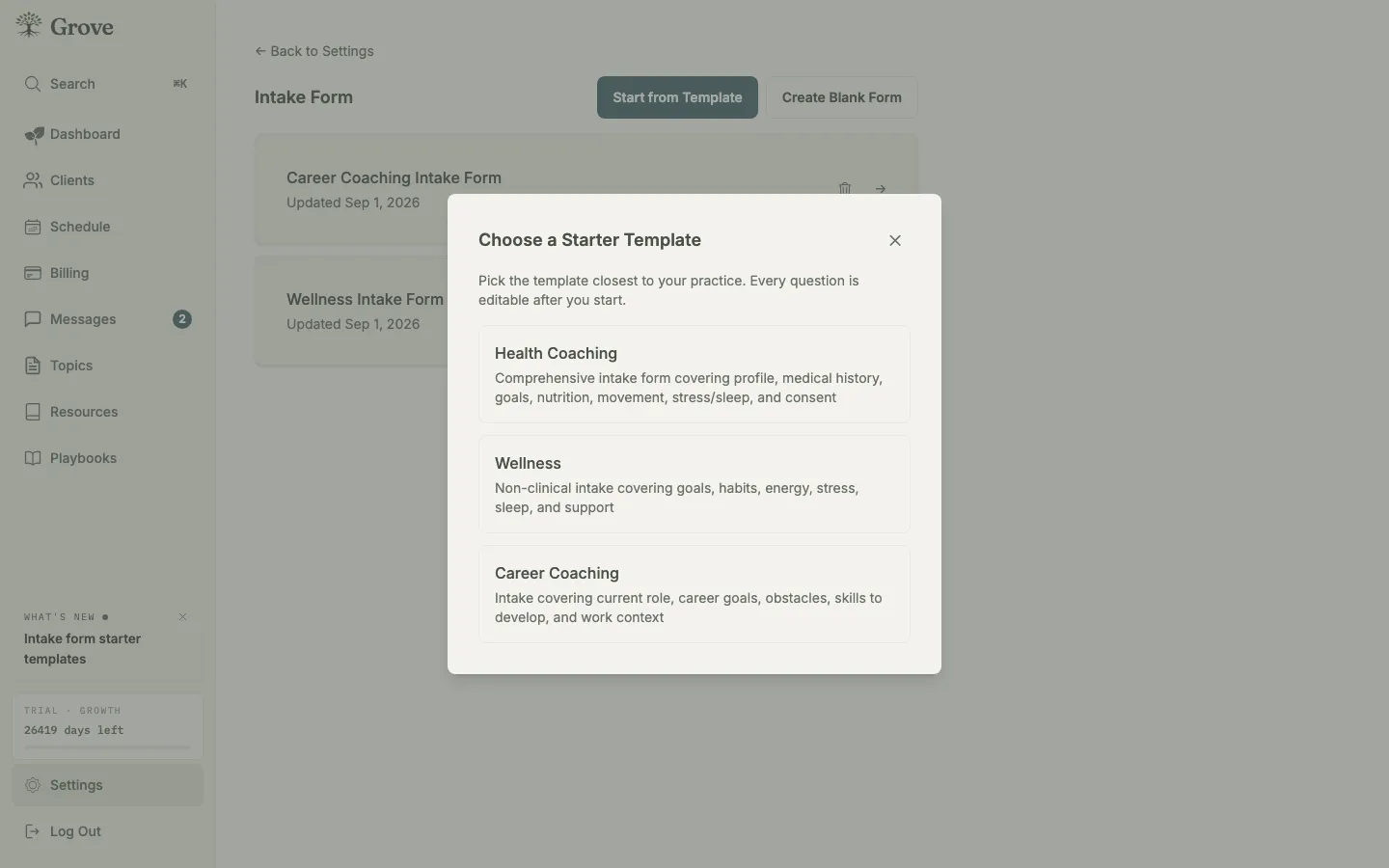
Three starter templates out of the box. Pick the one closest to your practice and start from questions that already fit.
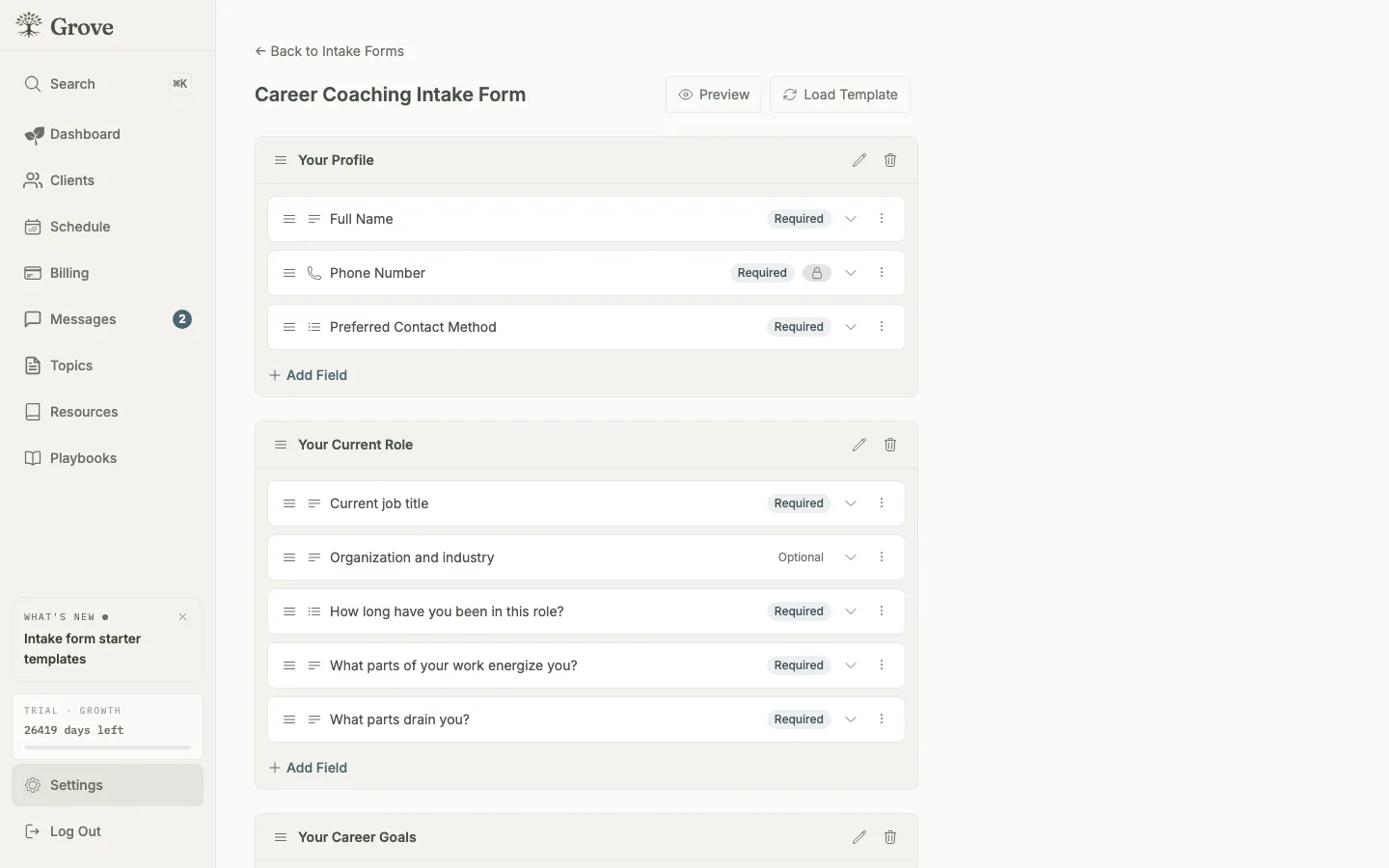
Every question is yours to change: rename it, reorder it, mark it required, or delete it. Suggested questions fill the gaps.
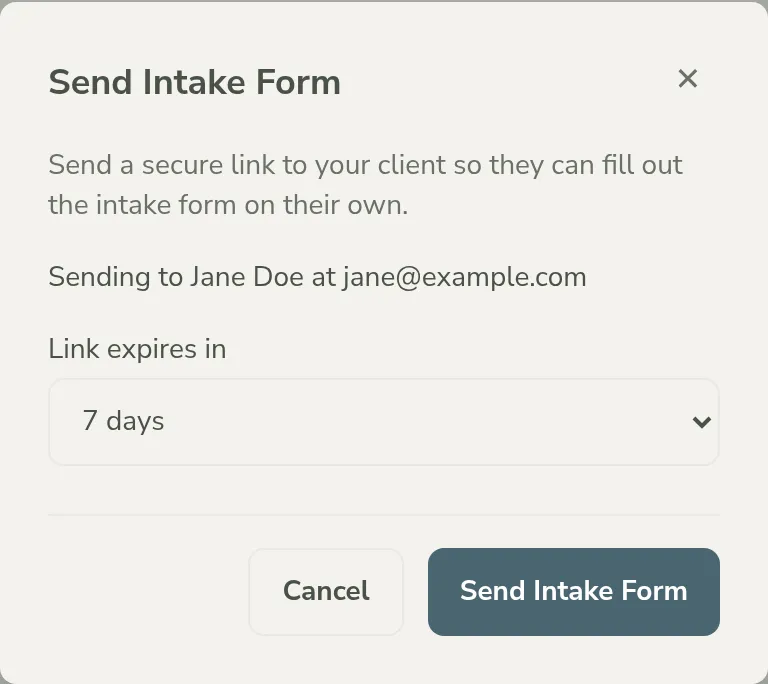
Send a secure link. Your client fills it out on their phone, no account or app install needed, and can pick it back up later.
How intake forms work
- Three starter templates out of the box: Health Coaching for clinical practices, Wellness for habit and lifestyle work without the medical framing, and Career Coaching for role, goals, and growth. Each opens in the builder ready to send or ready to change.
- Every question is editable. Rename, reorder, add, or delete anything in any template; no template is a dead end, and a blank form is always an option.
- Nine field types cover what intake actually needs: short and long text, number, date, time, single select, multi select, yes/no, and consent. Signature and static text blocks handle waivers and instructions.
- A suggested-question library grouped by topic (profile, goals, wellness and habits, career, medical, consent) drops proven questions into your form in one click.
- Consent is built in, not bolted on. Each template ships with consent language that matches its scope, clinical or not, and you can edit it like any other field.
- Clients fill forms out through a secure link on whatever device they have. The form works one section at a time with a progress bar, saves a draft as they go, and needs no account or app install.
- Accessible by default: real form controls with proper labels, keyboard navigation, and required-field markers, so the form works with the tools your clients already use.
- Answers land on the client profile in collapsible sections that mirror your form, ready for your first session and feeding the prep view from day one.
- Run more than one form. A health intake for one program and a career intake for another can live side by side, each with its own responses.

Intake forms fit every coach onboarding new clients, whatever the niche: the templates cover health, wellness, and career practices out of the box.
- Set up your intake forms → — the step-by-step walkthrough: choose a template, tailor the questions, and send your first form.
- Invite and onboard your first client → — where intake fits in the full onboarding arc, from invite to first session.
Common questions
Do I have to use a template?
No. The templates are starting points, not boxes. Pick the closest one and edit every question, or start from a blank form and build exactly what you want. Either way the builder is the same.
Which template should I pick?
Health Coaching carries the clinical questions: medical history, medications, physician contact, and a medical-advice consent. Wellness covers goals, habits, energy, stress, sleep, and support with no clinical fields at all. Career Coaching asks about the current role, goals, obstacles, skills, and time horizon. If none is quite right, pick the nearest and reshape it.
Does my client need an account or the app to fill out a form?
No. You send a secure link and the form opens in their browser, phone or computer. Their draft persists if they step away, and you are notified when they submit. Clients who do join Grove later keep their intake answers on their record.
What happens to the answers?
They land on the client profile, organized in sections that mirror your form, and become part of the record your session prep draws from. You can also enter or edit intake data yourself, for a client you onboarded over a call.
Can I run different forms for different kinds of clients?
Yes. Create as many intake forms as your practice needs and choose which one to send each client. Each form keeps its own responses.
What about consent and waivers?
Consent fields render as checkboxes your client must tick before submitting, and each starter template ships with consent language scoped to its kind of coaching. Signature fields cover waivers that need a name on the line. The templates are conveniences, not legal advice, so have a professional review your final wording.
Related features
External clients
Intake works for clients you track without an invite too: fill the form together in a session, or keep their record building without one.
Learn more →Session prep
Where the answers go to work. What a client shares at intake feeds the prep view you open before every session.
Learn more →Booking and payments
Attach an intake form to a session type and new clients complete it as part of booking their first session.
Learn more →
Your first client could fill this out today.
Start free, pick a template, and send your intake form in the time it used to take to find the old PDF.
Try Grove →