
Your whole practice, from day one
Bring your whole practice into Grove before a single client signs up. Add the clients you already coach as track-only records (no email needed), capture session notes the way you already keep them, and Sage starts prepping your sessions from your own notes. When a client is ready to join, convert them with one click and the whole history comes along.
Try Grove →Every coaching platform has the same first day: an empty client list, and a tool that does nothing until your clients sign up. But your practice does not start empty. You have clients, a notebook full of session notes, maybe a folder of transcripts. Grove starts from what you already have: track the clients you already coach, put your notes where your prep is, and get Sage working for you without waiting on a single signup.
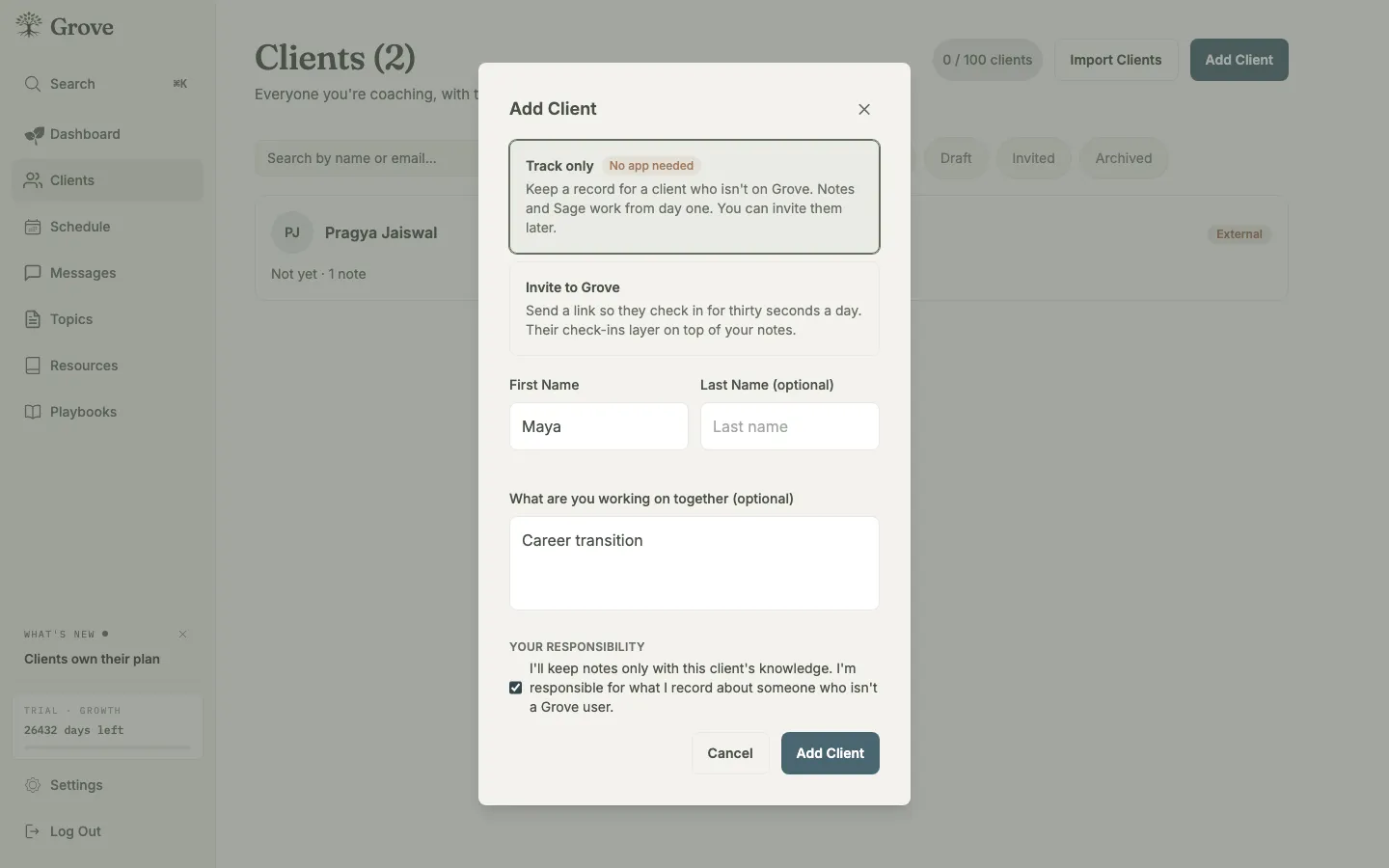
Add anyone you coach with just a name. No email, no invite, no waiting.
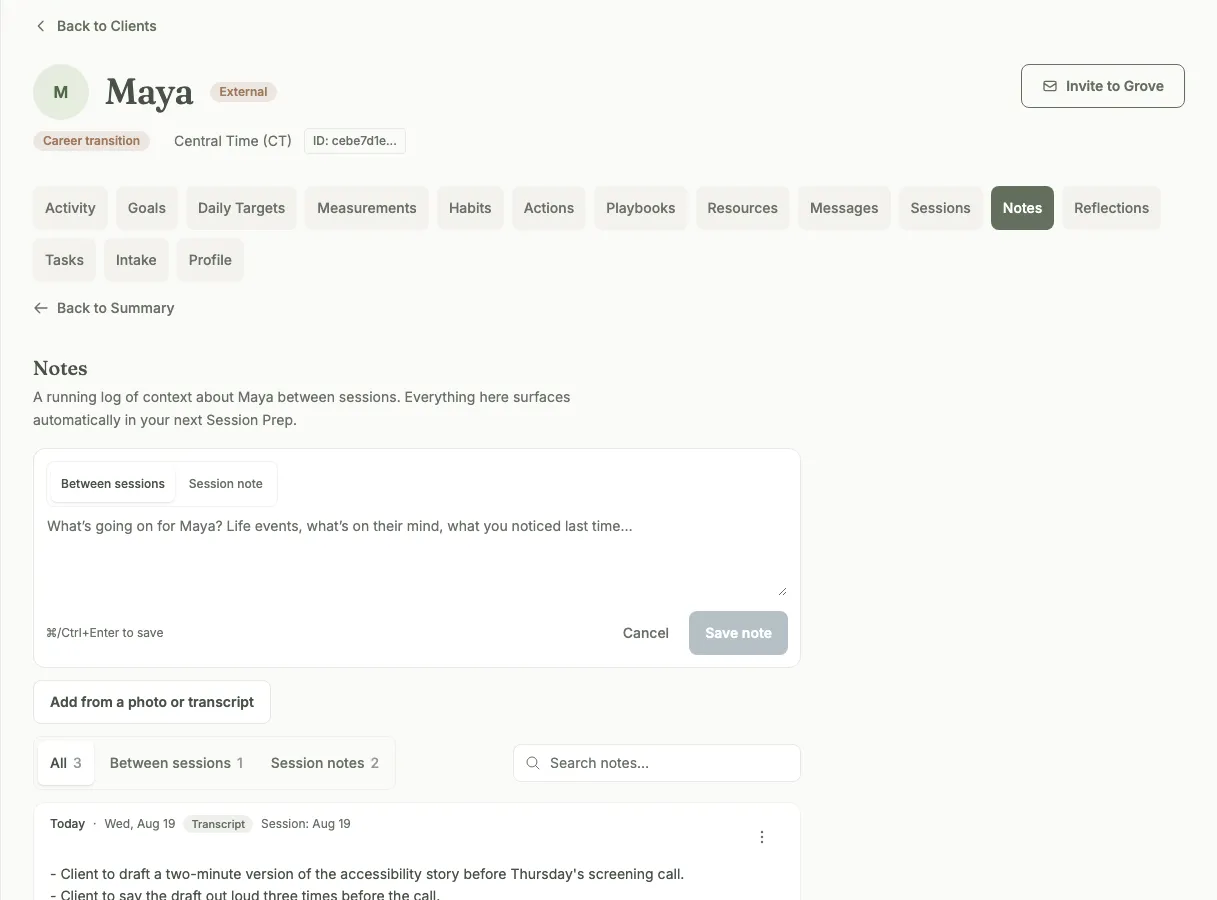
Your notes, the way you already keep them: typed, handwritten, or a transcript.
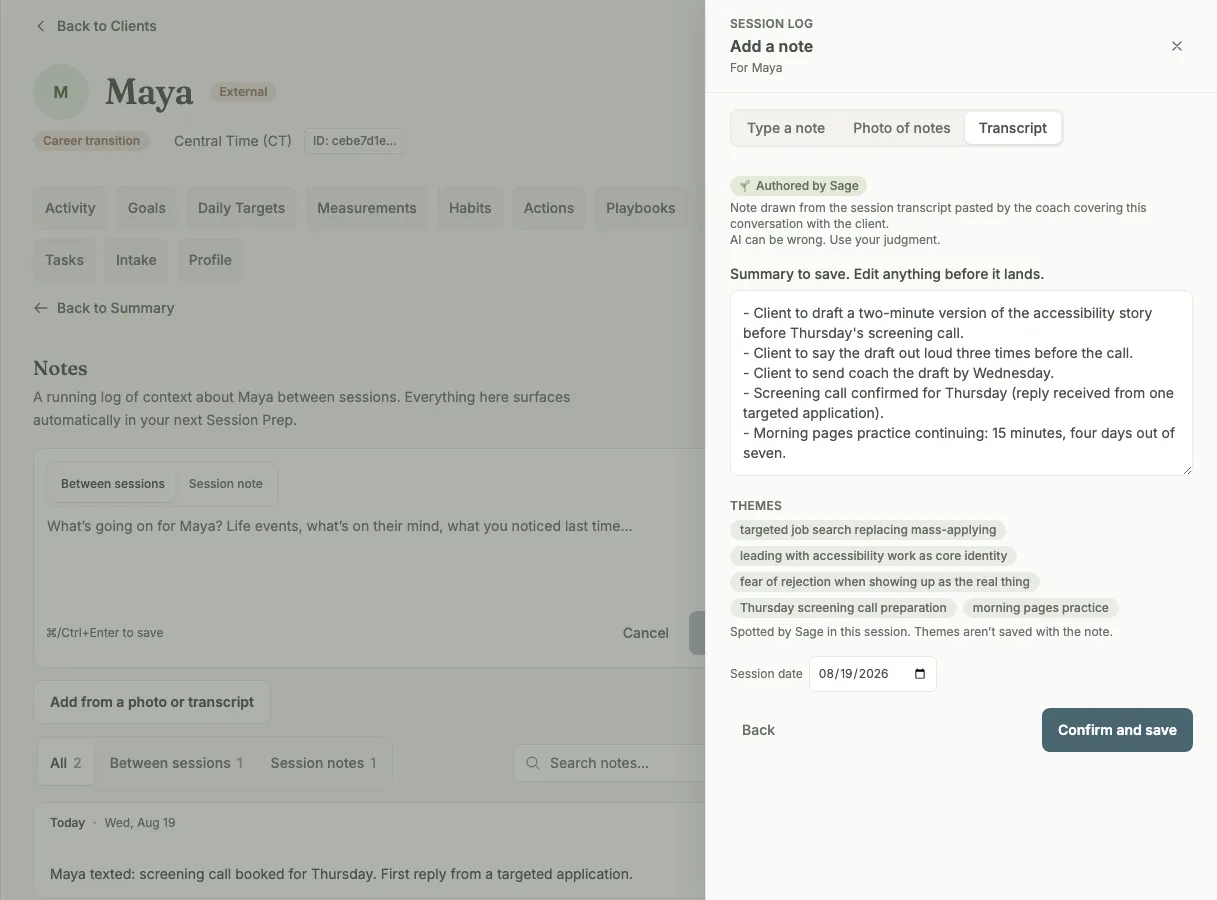
Paste a transcript and Sage drafts the note, commitments first. You edit before it saves.
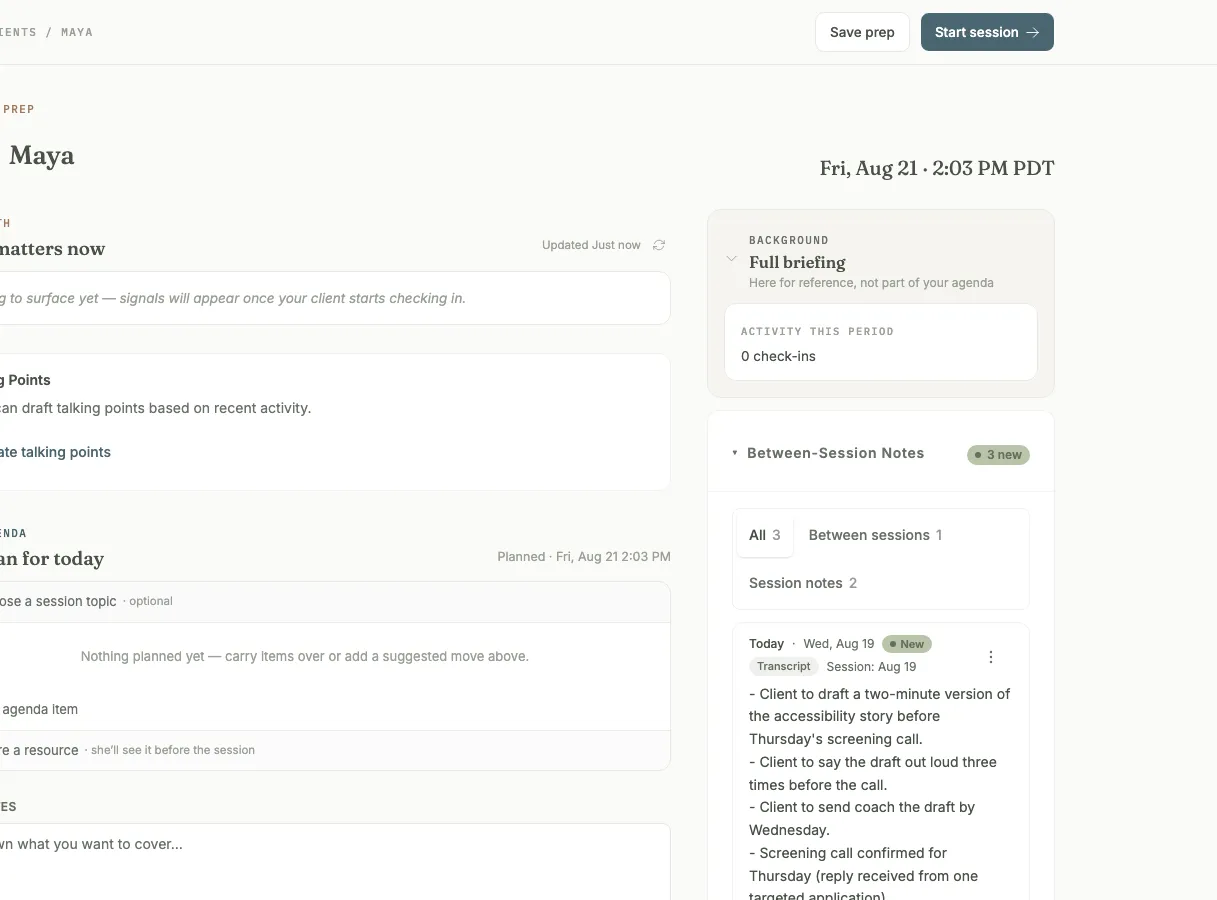
Session prep, built from your own notes. Sage does the reading; you do the coaching.
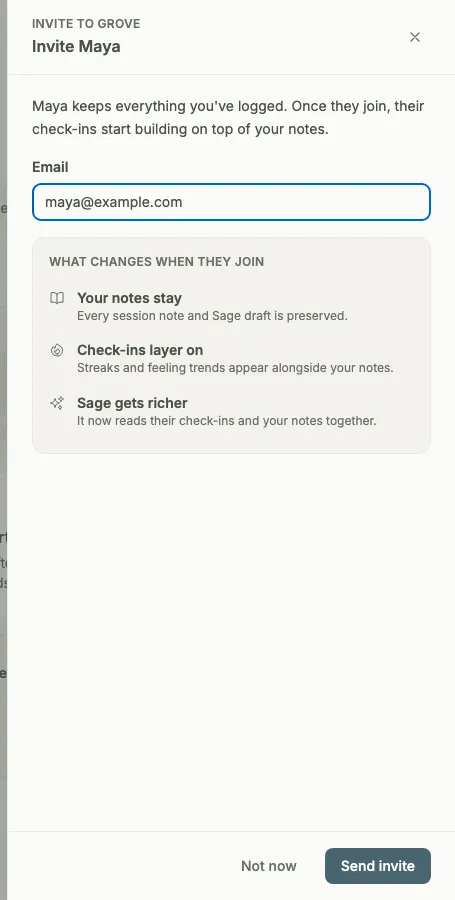
When a client is ready to join, convert with one click. Every note comes along.
How Grove tracks the clients you already have
- Track-only clients: add anyone you coach with just a name. No email address, no invite, no empty seat waiting for a signup.
- A consent attestation at creation: you confirm you keep notes about this client responsibly, the same professional duty you already carry for the notebook on your desk.
- Typed session notes with a session date, so the record keeps its real timeline even when you write the note two days later.
- Photo capture for handwritten notes: photograph the notebook page and review the transcription line by line. Nothing is saved until you have approved every line.
- Transcript summarize: paste or upload a session transcript and Sage drafts the session note with practical commitments up front. The draft opens in the editor, and you decide what it says before it becomes the record.
- Notes-first session prep: with your consent flags on, Sage reads your session notes and preps the next session with that client, the same prep invited clients get.
- One-click convert: when a client is ready to join Grove, send the invite from their page. Every session note and the full history carries over, and consent for what Sage reads becomes theirs to control.

External clients fit coaches moving an established practice into Grove, and any coach whose session notes live in a notebook, a doc, or a recording tool today.
- Import your client roster → — the step-by-step walkthrough for bringing an established practice into Grove, starting with the clients you already have.
- Set up Sage → — how consent flags work, what Sage reads, and how to turn on session prep for the clients you track.
- Show up prepared: session prep with Sage → — what the prep view does once your notes are feeding it, from the morning Daily Pulse to a built agenda.
Common questions
Do my clients need an email address or a Grove account?
Not to be tracked. A track-only client is a record you keep: a name, your session notes, and the prep Sage builds from them. There is no invite, no pending state, and nothing your client has to do. When you want them in Grove for real (check-ins, messaging, their own view of the work), convert them to an invited client and the email address enters the picture then.
Is it okay to keep notes in Grove about someone who is not on Grove?
Keeping notes about the people you coach is something you already do; Grove gives those notes a home instead of a drawer. The responsibility framing is deliberate and published in our terms: notes about a client who is not on Grove are your professional records, and you attest when you create a track-only client that you keep them responsibly. Nothing you write reaches Sage unless you turn on the consent flags for that client, and you see everything Sage produces before it goes anywhere. When the client joins Grove, control of that consent transfers to them.
How does the transcript summary work?
Paste the transcript in, or upload the file, and Sage drafts a session note from it with the practical commitments your client made listed first, then the context behind them. The draft is exactly that: a draft, open in the editor. Edit it, cut it down, rewrite it in your own words, then save. The transcript-to-note step never writes to the record on its own.
What if a client never wants to use an app?
Then they never have to, and nothing about how you coach them changes. Some clients want sessions and a conversation, not another app, and that is a fine way to be coached. Keep them track-only for good: their session transcripts and notes live in the same place as every other client's, Sage preps their sessions from your records the same way, and your whole practice stays in one workspace. Converting to an invited account is an option, never a requirement.
What happens to the history when I convert an external client?
All of it comes along. Every session note, every date, everything Sage has prepped: the record you built while the client was track-only becomes the record of their invited account. Nothing is retyped and nothing is lost. What changes is who holds the consent: from the moment they join, your client decides what Sage can read about them, in their own settings.
Related features
Sage, your assistant coach
The assistant coach reading your notes: session prep for every client you track, from day one.
Learn more →Session prep
The auto-prepped view your notes feed. Open a client and the next session is already pulled together.
Learn more →Client progress tracking
When a converted client starts checking in, their own activity joins the record your notes started.
Learn more →Daily check-ins
What an invited client adds to the picture once they join: their week, in their own words.
Learn more →
Start with the practice you already have
Start free on yourself. No clients to set up and no credit card, so you experience what your clients will before you invite anyone in.
Try Grove →