
Your client books a session and pays in one step
Grove folds scheduling and payments into one flow. You set your prices once: session types, packages, even a free intro consult. Your client picks a time, pays with a card through Stripe, and lands on your calendar. Packages keep their own count, and your Payments tab shows who has paid without opening a spreadsheet.
Try Grove →Most coaches run money through a patchwork: a scheduling tool over here, a payment app over there, and a spreadsheet holding it together. Who has paid, whose package is running out, who booked but never squared up: that ledger lives in your head or your Sunday evening. Grove keeps the catalog, the booking, the payment, and the balances in one place, so the money side of your practice takes care of its own bookkeeping.
Booking and payments, end to end.
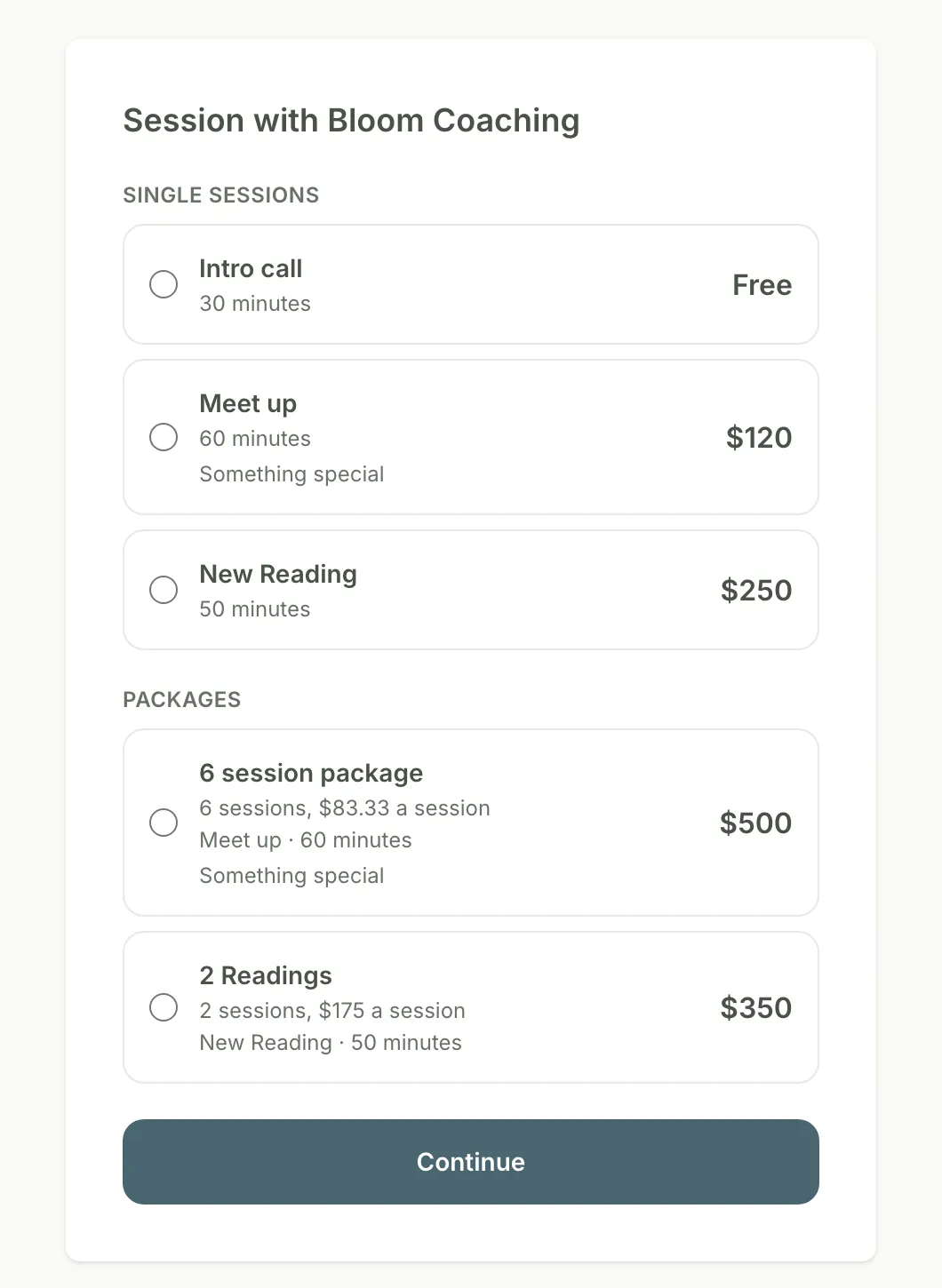
What your client sees: your catalog, your prices, one Continue button.
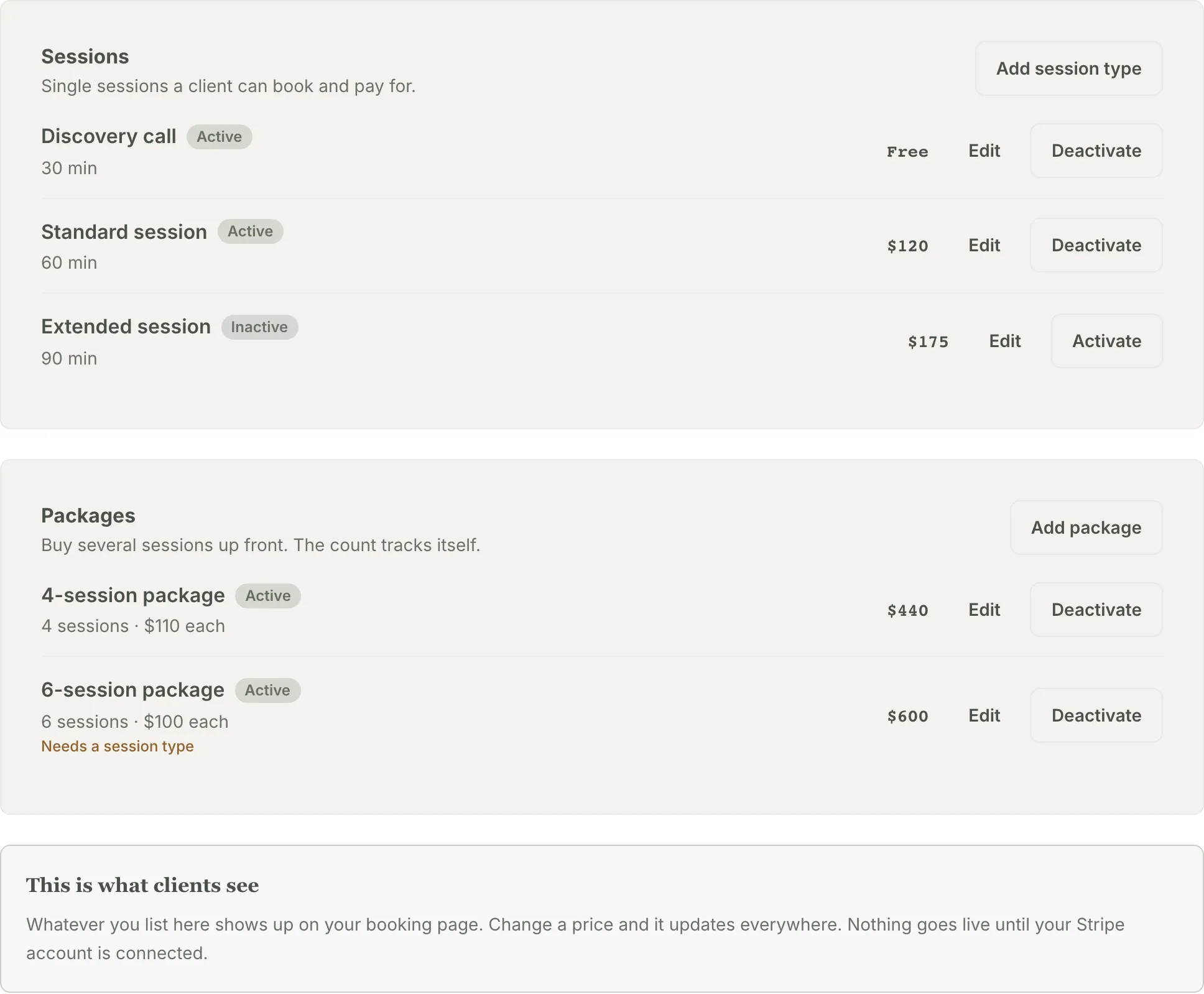
Set your session types and packages once. What you list here is what clients see.
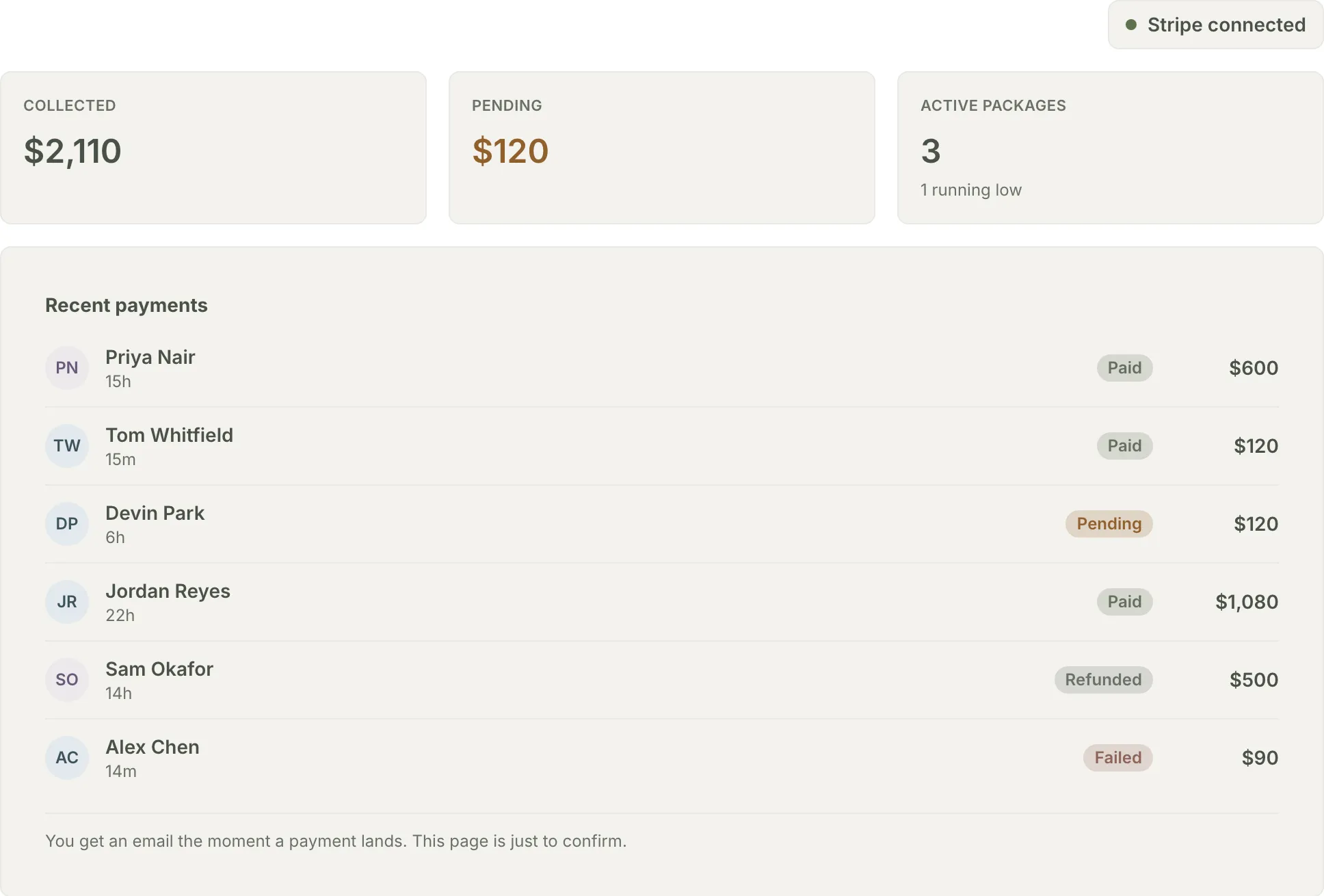
Collected, pending, and who has paid, at a glance. Grove emails you the moment a payment lands.
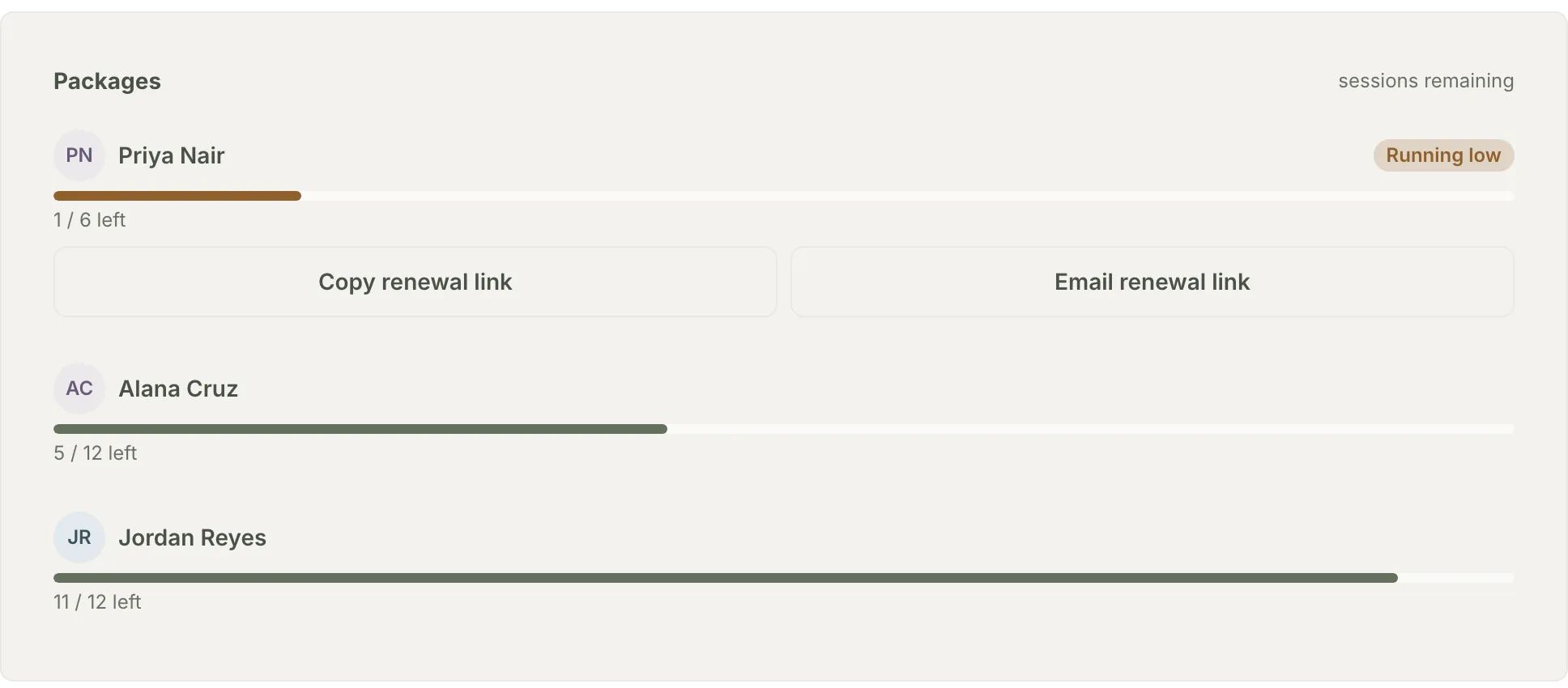
Every package keeps its own count. Running low comes with a one-click renewal link.
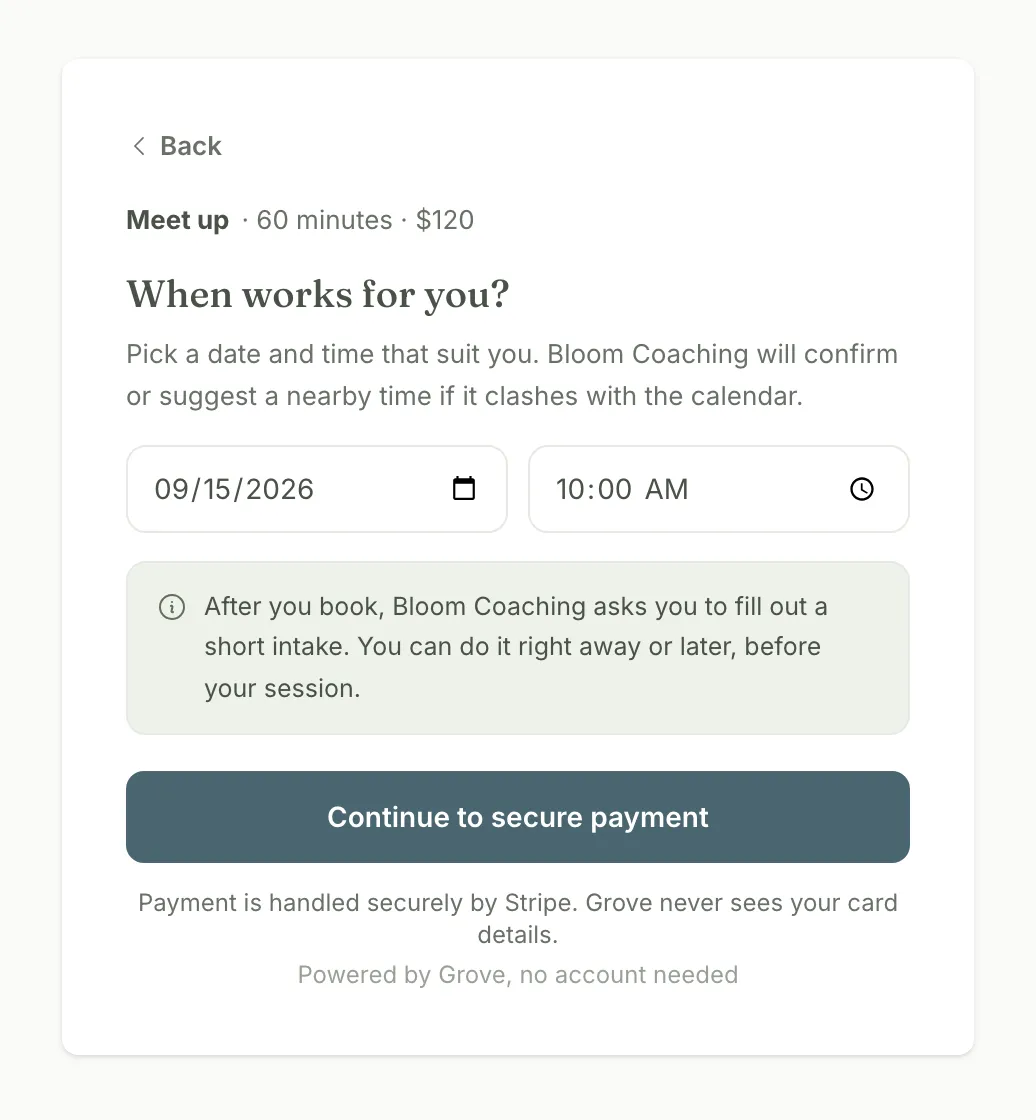
The default: paying is part of booking. Your client picks a time and pays in the same flow. Nothing for you to send.
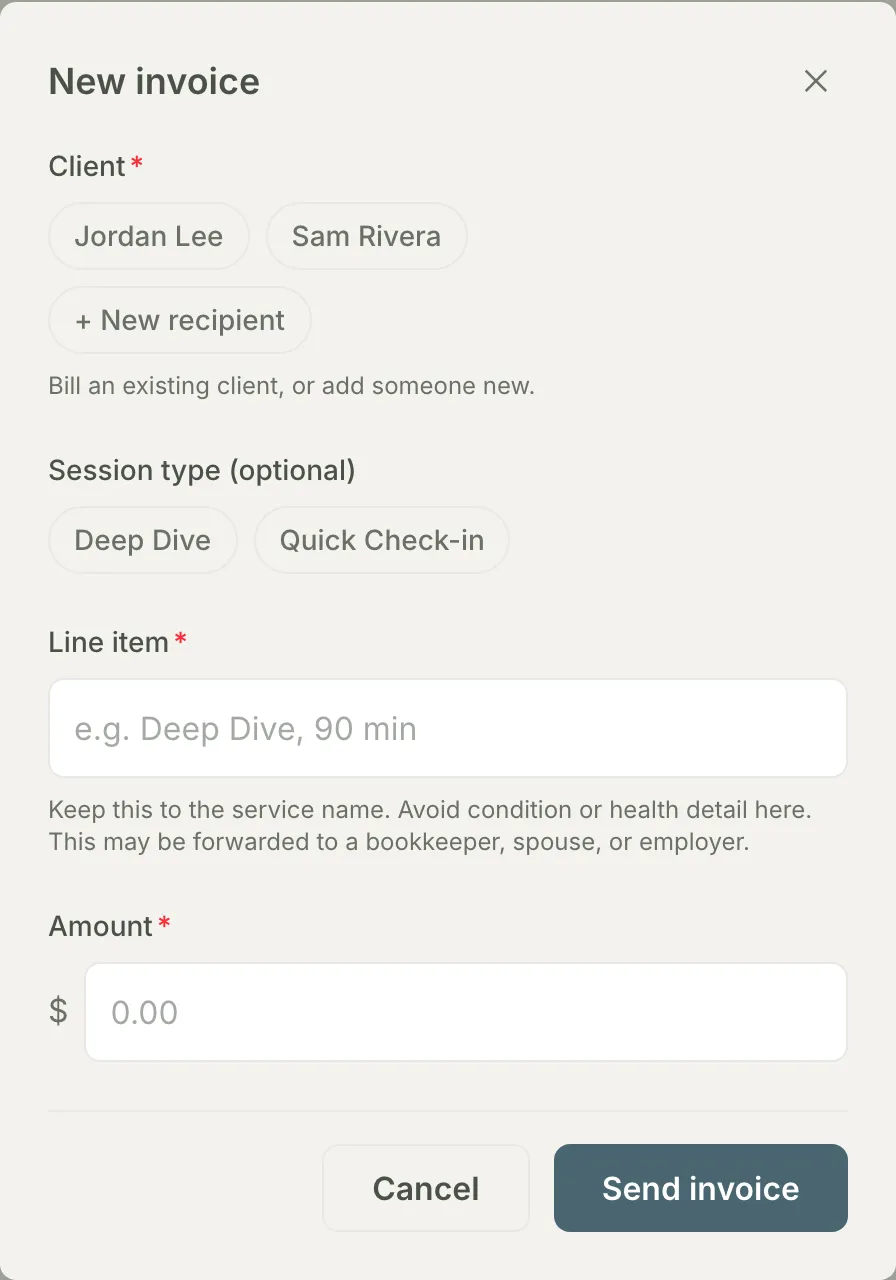
The exception: a one-off invoice for anything outside the catalog, payable without a Grove account.
How booking and payments work in Grove
- A pricing catalog you set once: session types with a name, duration, price, and a description clients see when they book.
- Packages that keep their own count. A client buys six sessions up front, and Grove tracks the remaining balance as they book.
- Book-and-pay in one step: your client picks a time and pays with a card, handled end to end by Stripe.
- Free offerings book without a card, so a free intro consult uses the same flow as a paid session.
- One-off invoices for anything outside your catalog, sent by email, payable without a Grove account.
- A Payments tab that shows collected, pending, and every package balance, with a running-low nudge and a one-click renewal link.

Built for coaches who sell sessions and packages directly to clients and want the payment step to feel as considered as the coaching.
- Set up your pricing and get paid → — the full setup walkthrough: connect Stripe, build your session types and packages, send your first invoice, and read the Payments tab.
Common questions
Does Grove take a cut of client payments?
No. Grove adds no platform fee on client payments. The money moves through your own connected Stripe account, so Stripe’s standard card-processing fees apply, and everything after that is yours.
Do my clients need a Grove account to pay me?
No. An invoice goes to any name and email you enter and is paid on a Stripe-hosted page. Booking links you share with clients work the same way: they pick a time and pay in one step.
How do packages work?
You create a package from one of your session types, set the number of sessions and the price, and Grove tracks the remaining count as your client books. When a package runs low, your Payments tab flags it and gives you a renewal link to copy or email in one click.
When does the money reach my bank account?
Stripe pays out directly to the bank account you connect during setup, on Stripe’s payout schedule. Your Client payments card in Grove shows whether payouts are enabled.
Is my clients’ payment information safe?
Card details are handled entirely by Stripe and never touch Grove. Invoices and payment records are protected with encryption in transit and at rest, with strict isolation between coaches’ data.
Related features
Google Calendar sync
Bookings land on your Google Calendar, and your busy times shape what clients can book. Nothing double books.
Learn more →Session prep
Every booked session arrives with prep: what your client has been doing, and what to open with.
Learn more →Client check-ins
The session your client just paid for sits inside a daily rhythm of check-ins between sessions.
Learn more →
Set up your pricing and take your first payment
Connect Stripe, list your sessions and packages, and send your first booking link. The setup takes about twenty minutes.
Try Grove →