
Client goals and measurements, tracked over time
Set a client goal, schedule the measurements that move toward it (weekly weigh-in, daily mood, monthly HRV), and watch trends build week over week. Grove collects the data on a cadence you set and charts the history so the trend is already up when you sit down with the client.
Try Grove →The current state of measurement tracking is a Google Sheet that lives on the client's phone, a paper journal turned in at session, a weigh-in number texted on Monday morning, and a sleep score read off a Whoop screenshot. The data exists. It is just scattered across formats, devices, and people, so by the time you sit down with a client you are stitching together what you remember about their numbers. Grove pulls it into one place with the trends already computed.
Create a goal in seconds, with a target, direction, and date.
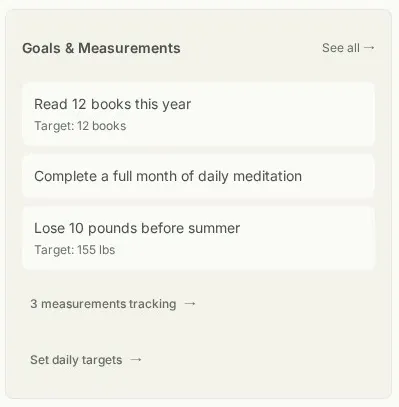
Client goals and measurements at a glance.
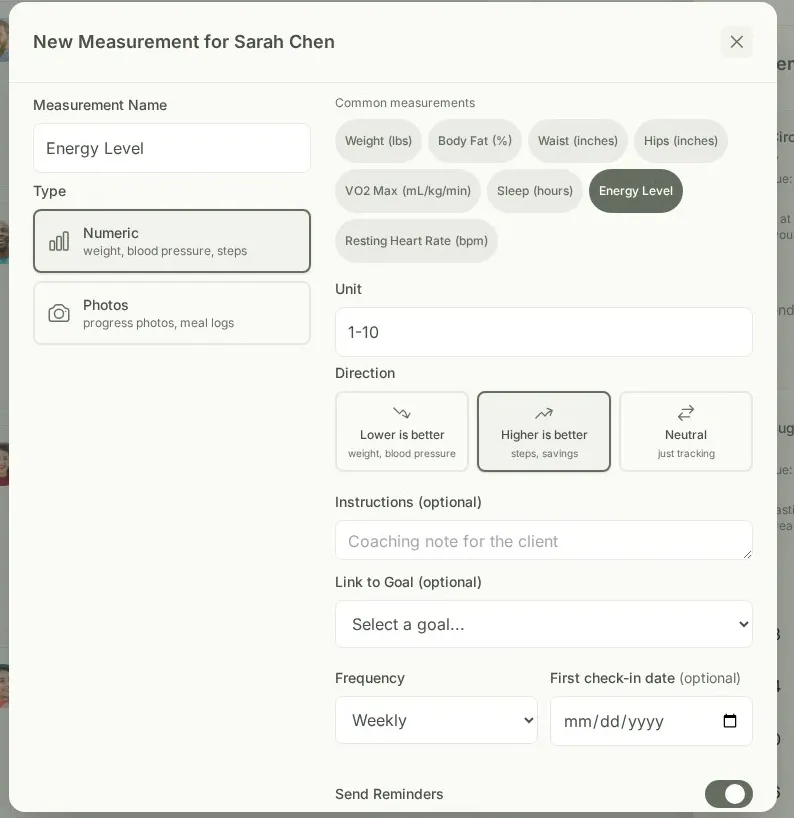
Set up a measurement with a coaching note for consistency.
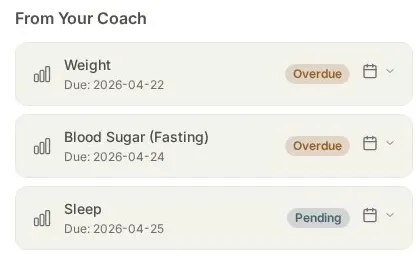
Clients see their measurement reminders in the check-in flow.
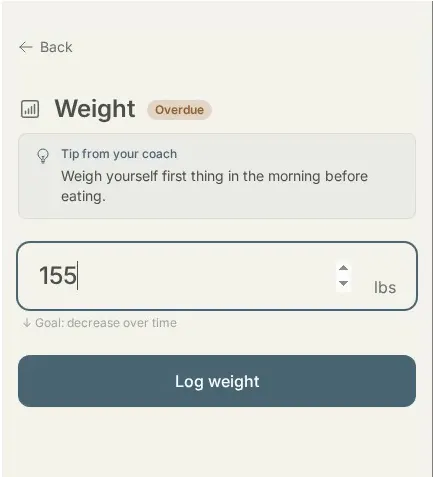
Clients log measurements with your coaching note right there for consistency.
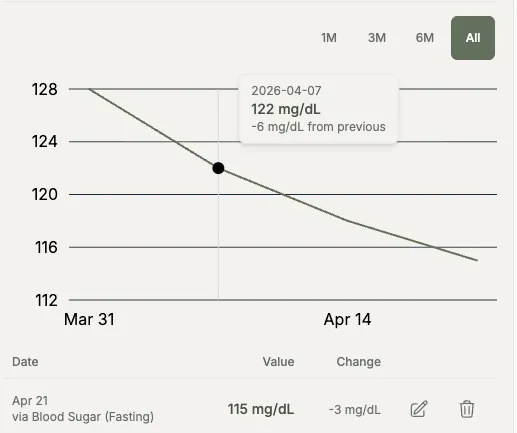
Trends update session over session, no spreadsheet math.
How Grove handles goals and measurements
- Set a client goal and the measurements that ladder up to it (numeric, time-based, or photo).
- Standard body measurements out of the box (weight, body fat, waist, hips, sleep, resting heart rate, VO2 max), plus any custom measurement you create.
- Schedule recurring measurements on a cadence you set (weekly weigh-in, daily mood, monthly HRV) that show up in the client check-in flow.
- Add coaching notes to each measurement so the client takes it the same way every time (same scale, same time of day, same posture).
- Daily Targets for calories, macros, or portion sizes that the client taps to log each day, making the goal feel like a small daily habit instead of an abstract number.
- Measurement history charts on the client and coach dashboards, so trends are visible session over session.

Goals and measurements are the spine of any practice where outcomes become visible across weeks of consistent data, from health markers to habit streaks. Health coaching practices lean on them hardest.
Common questions
What kinds of goals and measurements can I set?
Outcome goals anchor the work: "lose 10 pounds before summer," "lower A1C below 6.5," "complete a full month of daily meditation," "read 12 books this year." Underneath them, you set measurements that ladder up to the goal. Grove supports numeric measurements (weight, blood pressure, steps, sleep hours, meditation minutes) and photo measurements (progress photos, meal logs). Standard body measurements are built in as one-click starters, including weight, body fat, waist, hips, sleep, resting heart rate, and VO2 max. You can add a coaching note to each measurement so the client takes it consistently (same time of day, same scale, same posture), which makes the trend line actually mean something. For nutrition coaching, you can also set Daily Targets like calories, macros, or portion sizes that show up in the client's check-in for one-tap logging.
Can a client see their own progress?
Yes. Your client sees their own trend lines for every measurement you set up. Seeing the arc, not just yesterday's number, is part of how clients stay motivated through the messy middle of a 12-week protocol. They see what is moving and what is not.
Does Grove integrate with wearables (Apple Health, Whoop)?
Apple Health, yes. In the mobile app your client connects Apple Health and Grove syncs steps, sleep, resting heart rate, and heart rate variability (HRV) automatically, so those trends fill in without anyone typing a number. Other measurements are entered by hand today. Broader Apple Health coverage (like weight and body composition) and Whoop are next on the roadmap. If you depend on a specific wearable, email hello@grove.coach so we know to weight that decision.
Can I export the data?
Not self-serve yet. If you need a client's measurement data (for a graduation, to share with their medical team, or for your own records), email hello@grove.coach and we'll export it as a CSV for you. Let us know if a one-click export would be helpful for you, so we know how much to prioritize it.

Track client goals in Grove
Start free on yourself. No clients to set up and no credit card, so you experience what your clients will before you invite anyone in.
Try Grove →