
Apple Health, filled in automatically
Your client connects Apple Health once and chooses what to share. From then on, steps, sleep, resting heart rate, and heart rate variability sync automatically in the background, and today's step count is already filled in when they open a check-in. You see real trends without anyone typing a number.
Try Grove →Self-reported health data is the least reliable data a coach works with. Clients forget to log, round up, or backfill a week at a time from memory, and the trend you are coaching against ends up a guess. Apple Health already tracks what the phone and watch record all day. Grove reads it directly, so the steps, sleep, and heart rate you see are the numbers that actually happened.
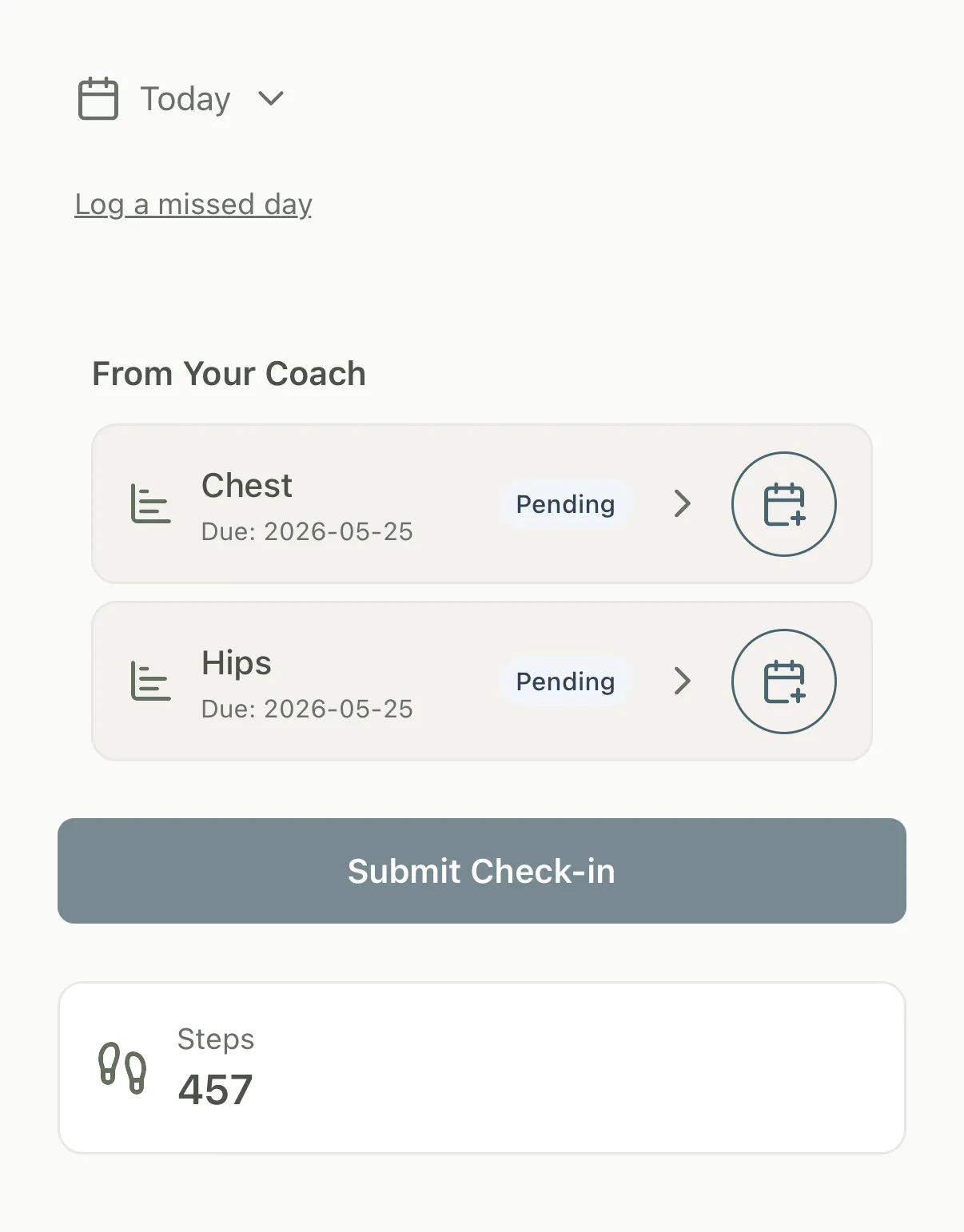
How Grove syncs Apple Health
- Your client connects Apple Health once and chooses which data to share. There is nothing for you to configure on the coach side.
- Steps, sleep, resting heart rate, and heart rate variability sync automatically in the background, even when your client is not actively in Grove.
- Today's step count is already filled in when your client opens a check-in, so they confirm a number instead of typing it.
- Every synced metric lives in the same model as any other measurement, so it shows up on the dashboard, in trend charts, and as progress toward measurement-linked goals.
- Broader Apple Health coverage like weight and body composition, plus wearables like Whoop, are next. Other integrations are welcome, so tell us which one your practice depends on.

Apple Health syncing is most useful for health coaches and movement or metabolic-focused coaches whose clients already carry an iPhone or wear a watch, where real data beats a self-reported number every time.
Common questions
What does my client have to do to set this up?
One thing, once. In the Grove app on iPhone they connect Apple Health and choose what to share. After that, the data flows in automatically. There is nothing for you to configure on the coach side.
Which health data does Grove sync?
Today Grove syncs steps, sleep, resting heart rate, and heart rate variability (HRV) from Apple Health. Your client chooses which of these to share when they connect. Broader coverage like weight and body composition is on the roadmap.
Can I use other wearables, like Whoop, Oura, or Garmin?
Apple Health is the integration today, and it already covers any device that writes into it. Whoop and broader wearable support are next on the roadmap. Other integrations are welcome, so if your practice depends on a specific device, email hello@grove.coach and tell us which one so we know to weight that decision.
Does this work on Android?
Today Apple Health syncing is iPhone only. Clients on other devices still log measurements by hand, and that data lives in exactly the same place. If Android health syncing would change how you work, email hello@grove.coach so we know to weight that decision.
Can a client turn it off?
Yes. Apple Health permissions are controlled by your client on their own device. They can revoke access at any time from the iPhone Health settings, at which point syncing simply stops and their existing history stays put.
Related features
Goals and measurements
Synced Apple Health data tracks progress against measurement-linked goals, not a self-reported guess.
Learn more →Daily check-ins
Today's step count auto-fills on the check-in, so activity is captured without an extra tap.
Learn more →Client insights
Synced metrics feed the same trend charts and dashboard as every other measurement.
Learn more →
Bring real data into your coaching
Start free on yourself. No clients to set up and no credit card, so you experience what your clients will before you invite anyone in.
Try Grove →