
Everything you know about a client, in one place that resurfaces itself
Free-form notes you jot anytime become the coaching record your next session prep is built from. Type a quick thought between sessions, photograph the notebook page, or drop in a transcript: it all lands on one timeline per client, tagged and searchable, and it comes back to you right when the next session starts.
Try Grove →The note you wrote after Tuesday's session is good coaching. It is also in a notebook, a doc, or a drawer, doing nothing until you go dig for it. Ten minutes before the next session you are scrolling back through messages, trying to remember what she said about her sister and which habit you both agreed to park. Grove gives those notes one home: a running record per client that surfaces itself in your session prep, so you walk in already knowing.
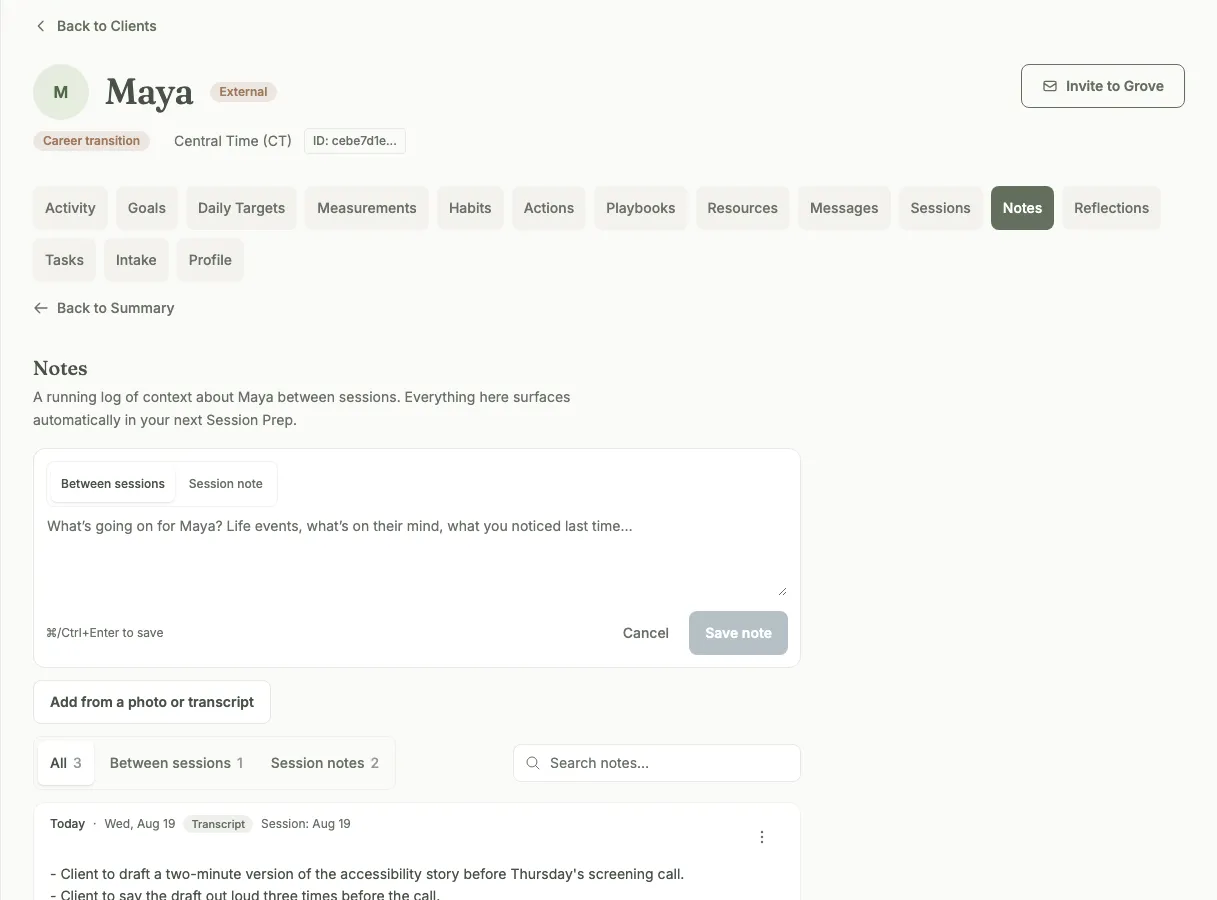
One running record per client. Jot a note anytime; everything here surfaces in your next session prep.
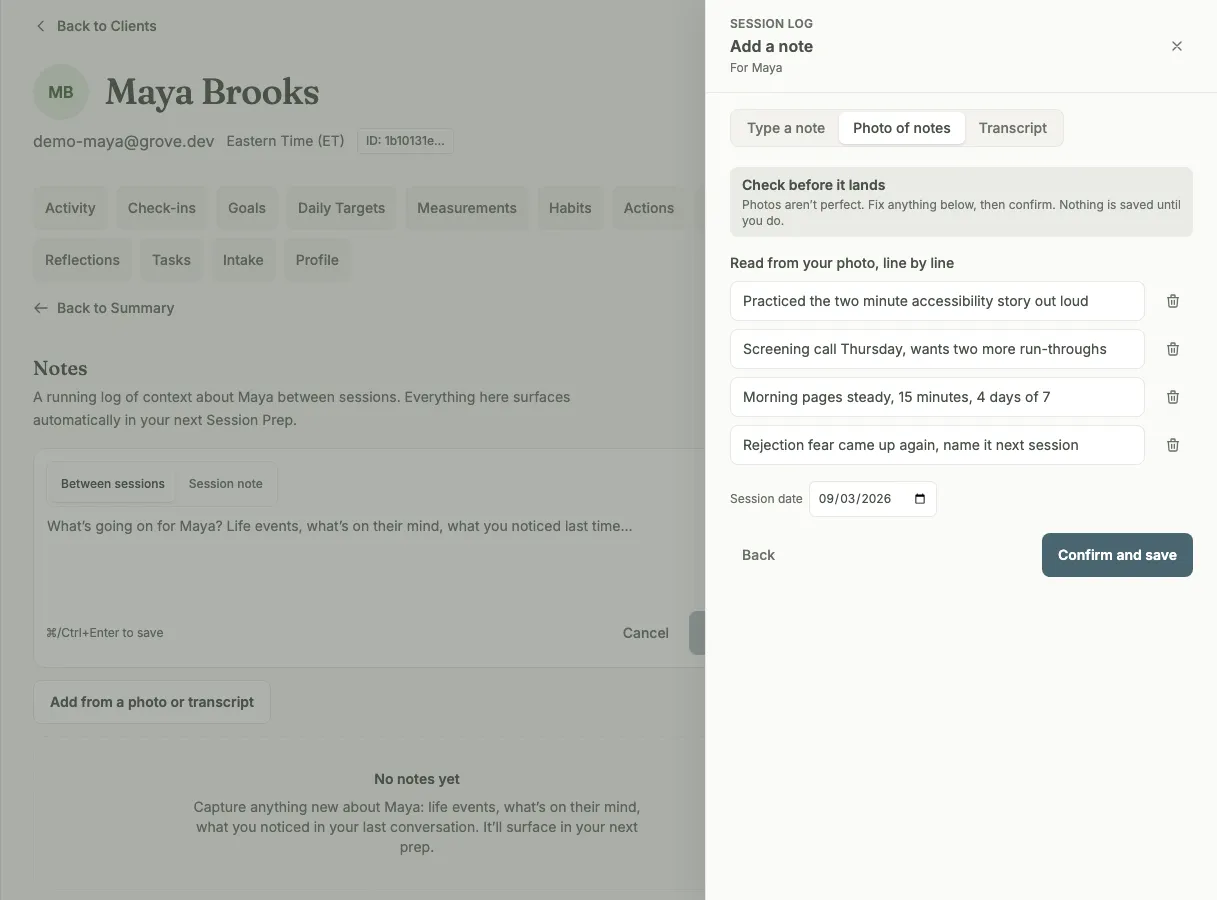
Photograph the notebook page, then review every line before it becomes part of the record.
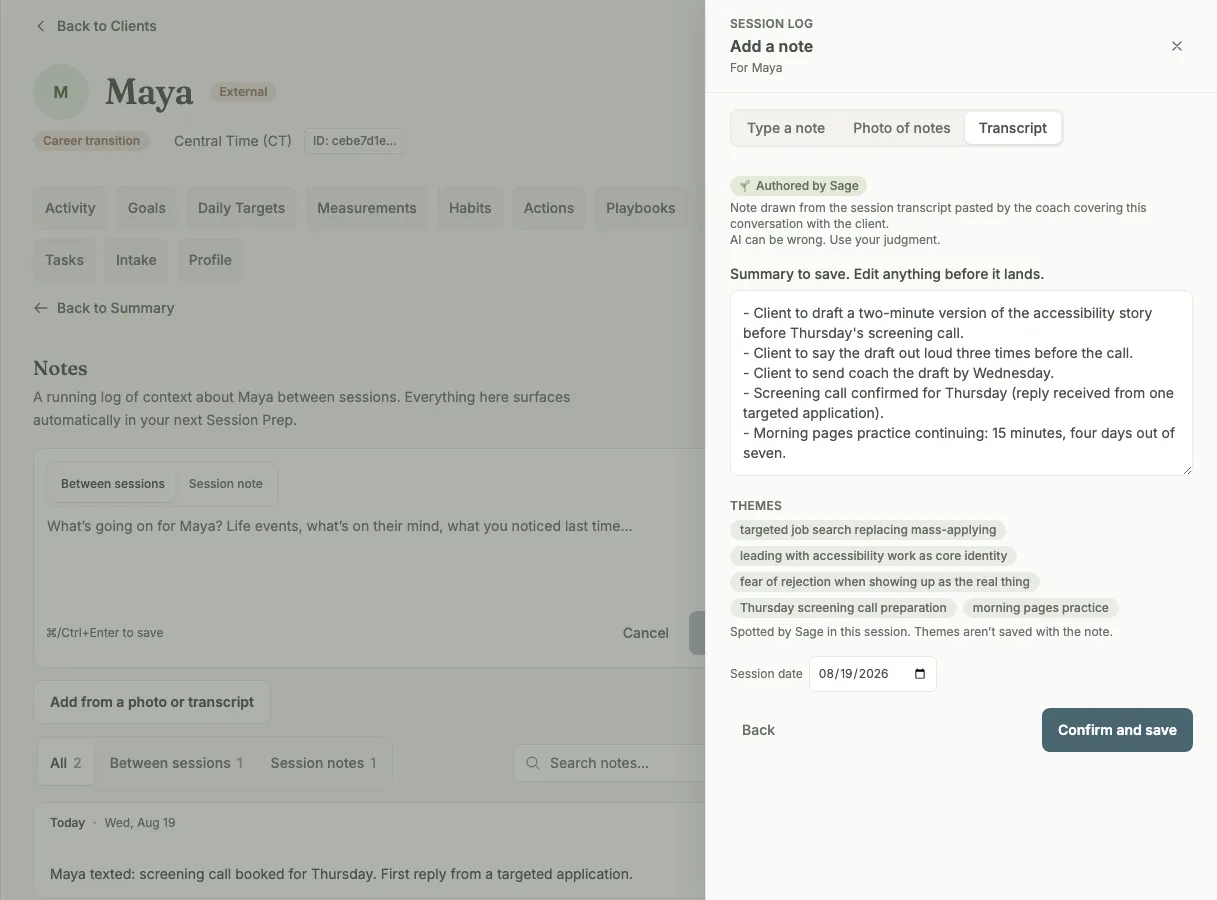
Drop in a transcript and Sage drafts the note, commitments first. You edit before anything saves.
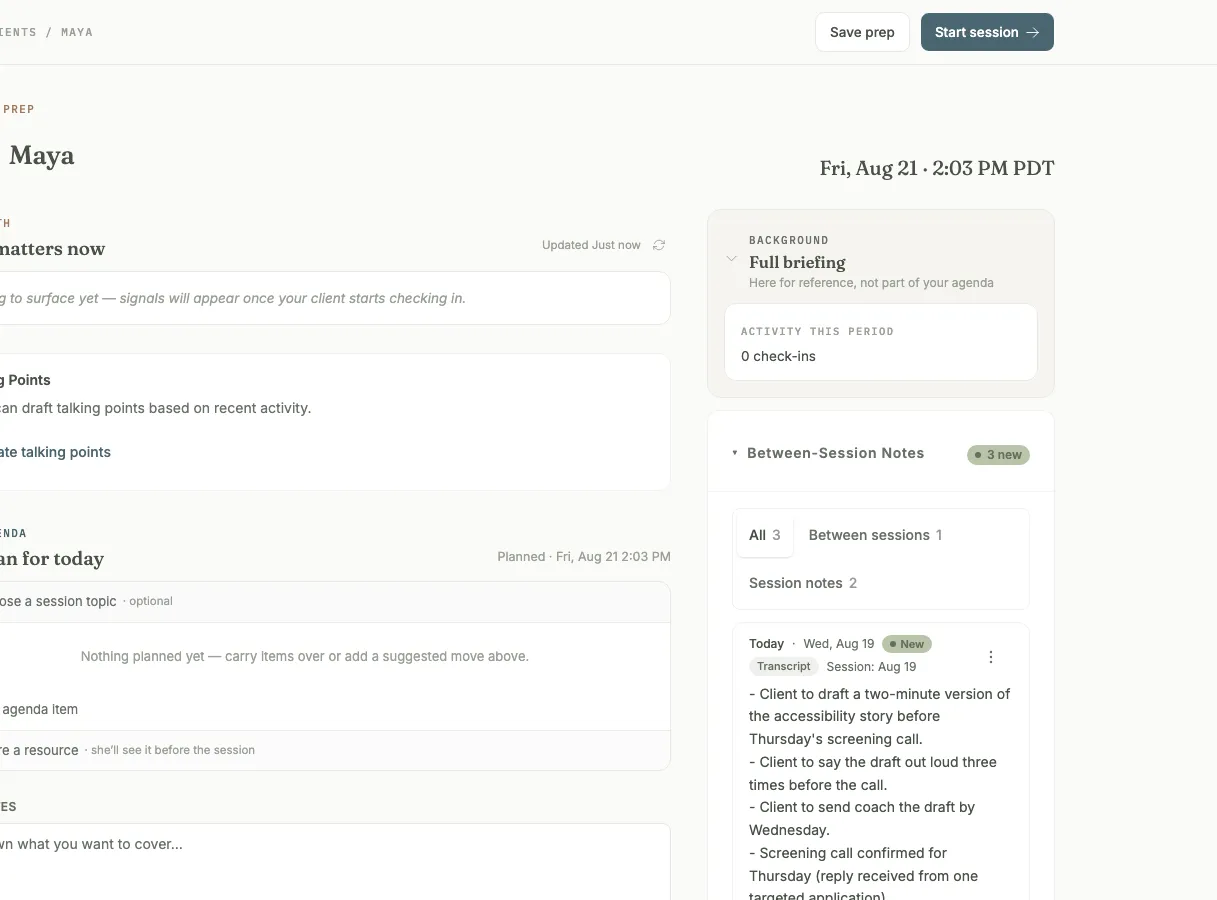
Your notes resurface in the next session prep, right when you need them.
How notes become the coaching record
- One Notes tab per client: a running record of everything you know, searchable and filterable, with each entry tagged by how it was captured (typed, photo of notes, transcript).
- Two kinds of note: a between-sessions note for whatever you noticed, and a session note pinned to its session date, so the record keeps its real timeline even when you write it two days later.
- A composer right at the top of the tab: jot a thought and save it in seconds, before it evaporates.
- Photo capture for handwritten notes: photograph the notebook page and review the transcription line by line. Nothing is saved until you confirm it.
- Transcript import: paste or upload a session transcript and Sage drafts the note with your client’s commitments first. The draft opens in the editor, and you decide what the record says.
- Session prep reads your record: with your consent flags on, your latest notes surface automatically in the next session’s prep. Sage does the reading; you do the coaching.
- An in-session Notes View: a full-screen, coach-private view for live sessions with your agenda, what to watch for, and a quick-notes field, so the record grows while you stay present.

The Notes view fits coaches who keep real session notes today, in a notebook, a doc, or a recording tool, and want that work to pay off at prep time instead of sitting in a drawer.
- Import your client roster → — the step-by-step walkthrough for bringing an established practice into Grove, starting with the clients you already have.
- Set up Sage → — how consent flags work, what Sage reads, and how your notes start feeding session prep.
- Show up prepared: session prep with Sage → — what the prep view does once your notes are feeding it, from the morning Daily Pulse to a built agenda.
Common questions
Can my clients see my notes?
No. Notes are yours alone, on every surface. The client's Notes tab, the notes inside session prep, and the in-session Notes View are all coach-private; the live-session view even carries an "only you" marker so there is never a doubt. Your client sees only what you explicitly share with them elsewhere in Grove.
What does Sage do with my notes?
Only what you have turned on. With a client's consent flags on, Sage, your AI assistant coach, reads your notes to build that client's session prep, so the next session starts where the record left off. Sage never messages a client from your notes, and everything Sage produces is in front of you before it goes anywhere.
Do transcripts write themselves into the record?
Never. Paste or upload a transcript and Sage drafts a session note from it, with the commitments your client made listed first. That draft opens in the editor: cut it down, rewrite it in your words, then confirm. The same rule holds for photographed notes, where you review the transcription line by line. Nothing writes itself.
Does this work for clients who are not on Grove?
Yes. Notes are built for your whole practice, including track-only clients you add with just a name. Their record works exactly the same way: jot notes, drop in transcripts, and get the same session prep, whether or not that client ever logs in.
I already keep notes in a notebook. Why move them?
Keep the notebook if you love it; photograph the page and the record gets a searchable copy. The difference is what happens next: a notebook waits for you to go find the right page, while your Grove record resurfaces on its own in the next session's prep. The note you wrote is finally working between sessions, not just during them.
Related features
Session prep
The surface your notes feed. Open a client before a session and the prep is already pulled together from your own record.
Learn more →Sage, your assistant coach
The assistant coach doing the reading: transcript drafts, session prep, and never a word your client sees before you do.
Learn more →Track your existing clients
Notes work for every client you coach, including the ones who never sign up. A name is enough to start the record.
Learn more →Transcript import
The fastest way into the record: paste a session transcript and Sage drafts the note for your review.
Learn more →
Put your notes where your prep is
Start free on yourself. No clients to set up and no credit card, so you experience what your clients will before you invite anyone in.
Try Grove →