
Keep your coaching hours without a spreadsheet
You already ran the sessions. Grove already has the date, the length, and who was in the room. The log your credentialing body asks for should be a file you download, not a spreadsheet you rebuild the month before you apply. Coaching hours assembles the log from the sessions you have marked complete, shows you what is still missing, and exports it in the shape ICF or NBHWC expects. Earn the credential, and the same page keeps your continuing education and certificates for renewal.
Somewhere there is a spreadsheet that was supposed to be keeping track: which sessions were held, which were paid, how many hours with how many clients. It is probably a season behind, because the information lived in three other places first: the calendar, the booking page, your memory of who paid. The chore was never the coaching. It was the copying. Grove already witnessed nearly every one of those hours, so it keeps the count for you, and leaves the attesting where it belongs: with you.
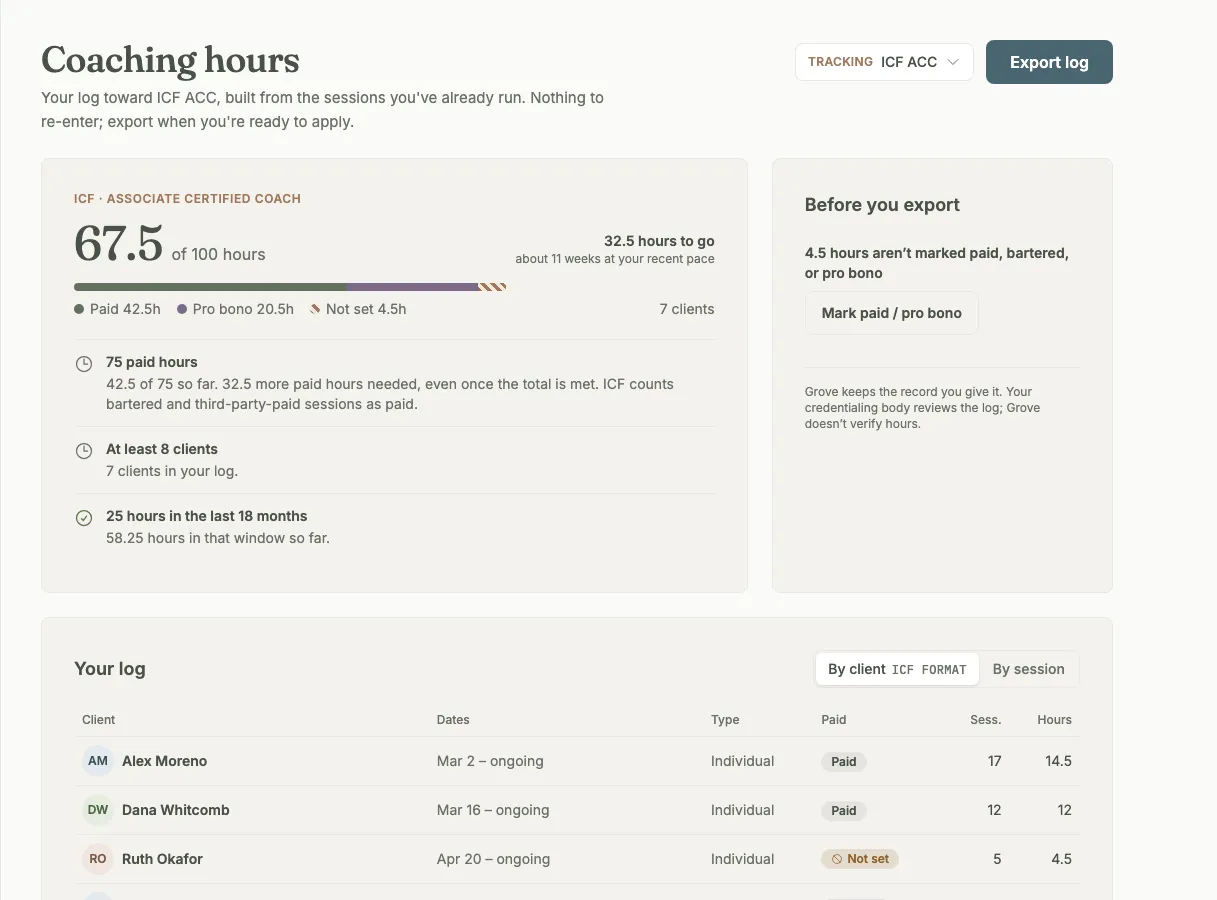
Your log, built from the sessions you have already marked complete. The requirement rows and the one thing still to fix sit beside the total.
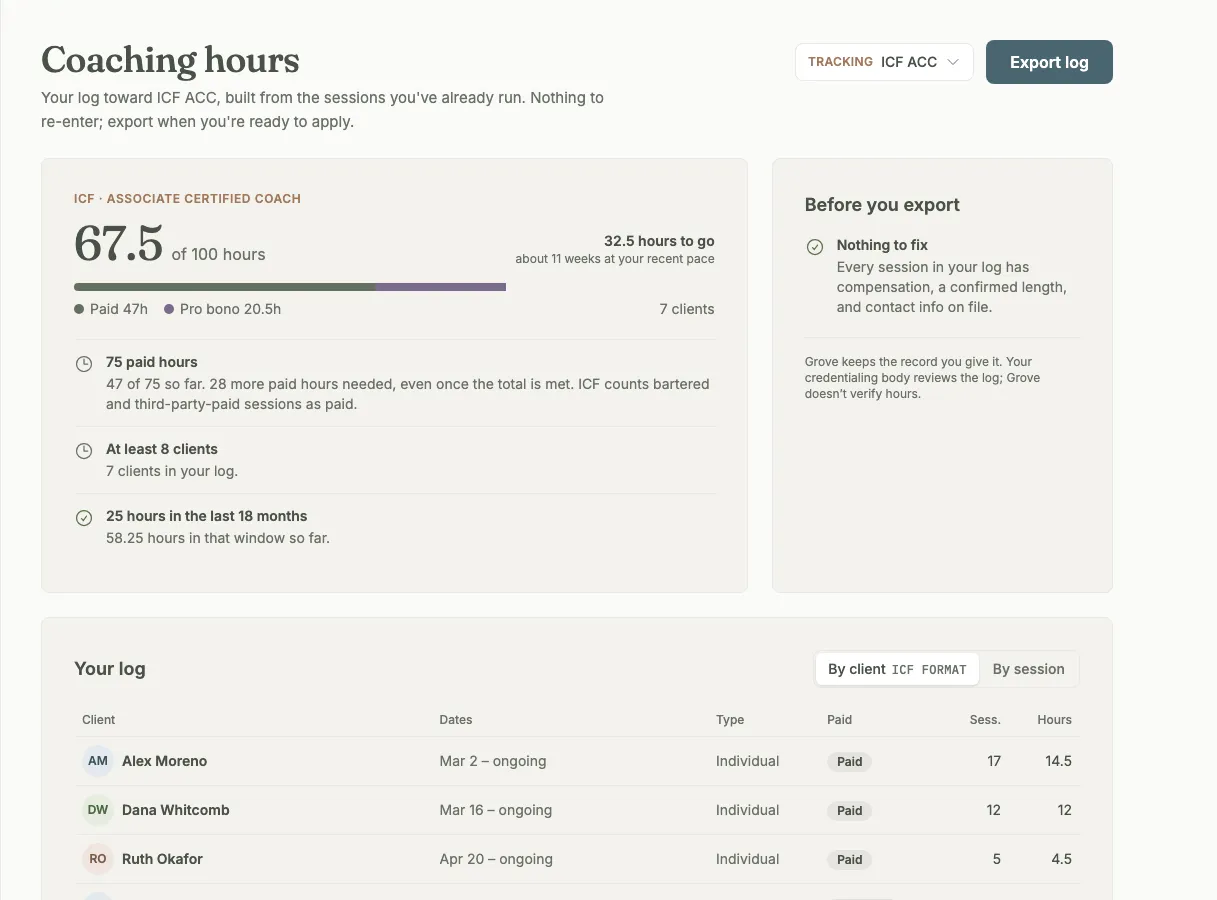
Mark a client paid, bartered, or pro bono once and every session inherits it. When the card says Nothing to fix, the file is ready.
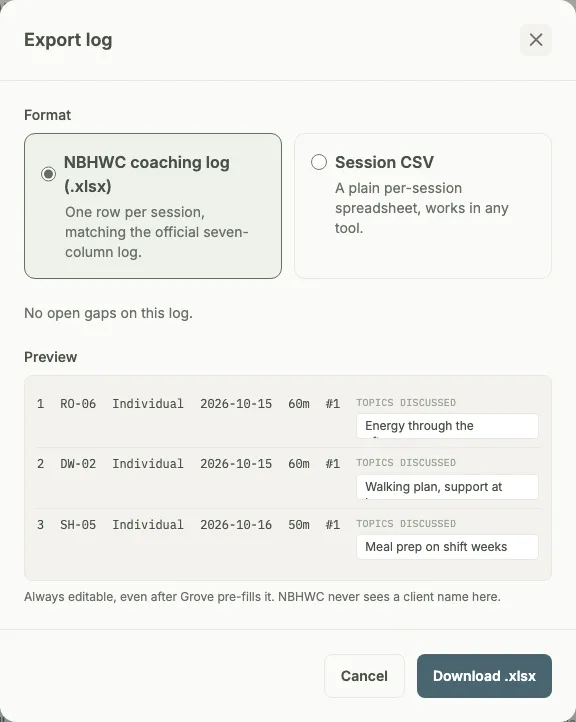
NBHWC's seven-column session log, previewed before you download, with coded identities instead of names and the topics editable in place.
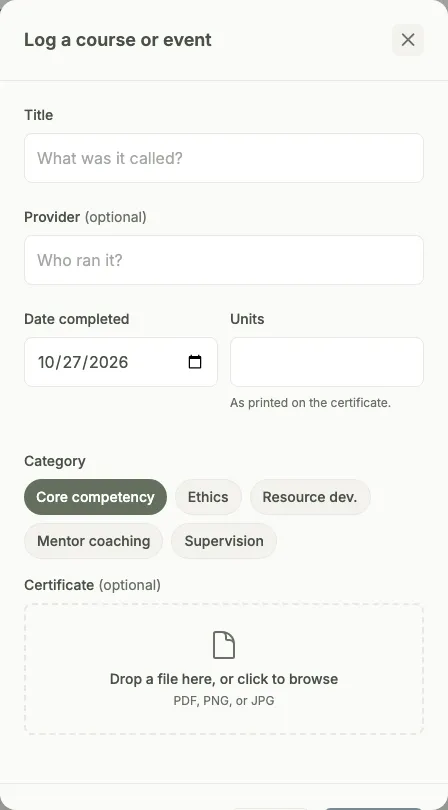
Once you have earned the credential, the same page turns into a renewal tracker. Log each course with its certificate, in the category your body counts it under.
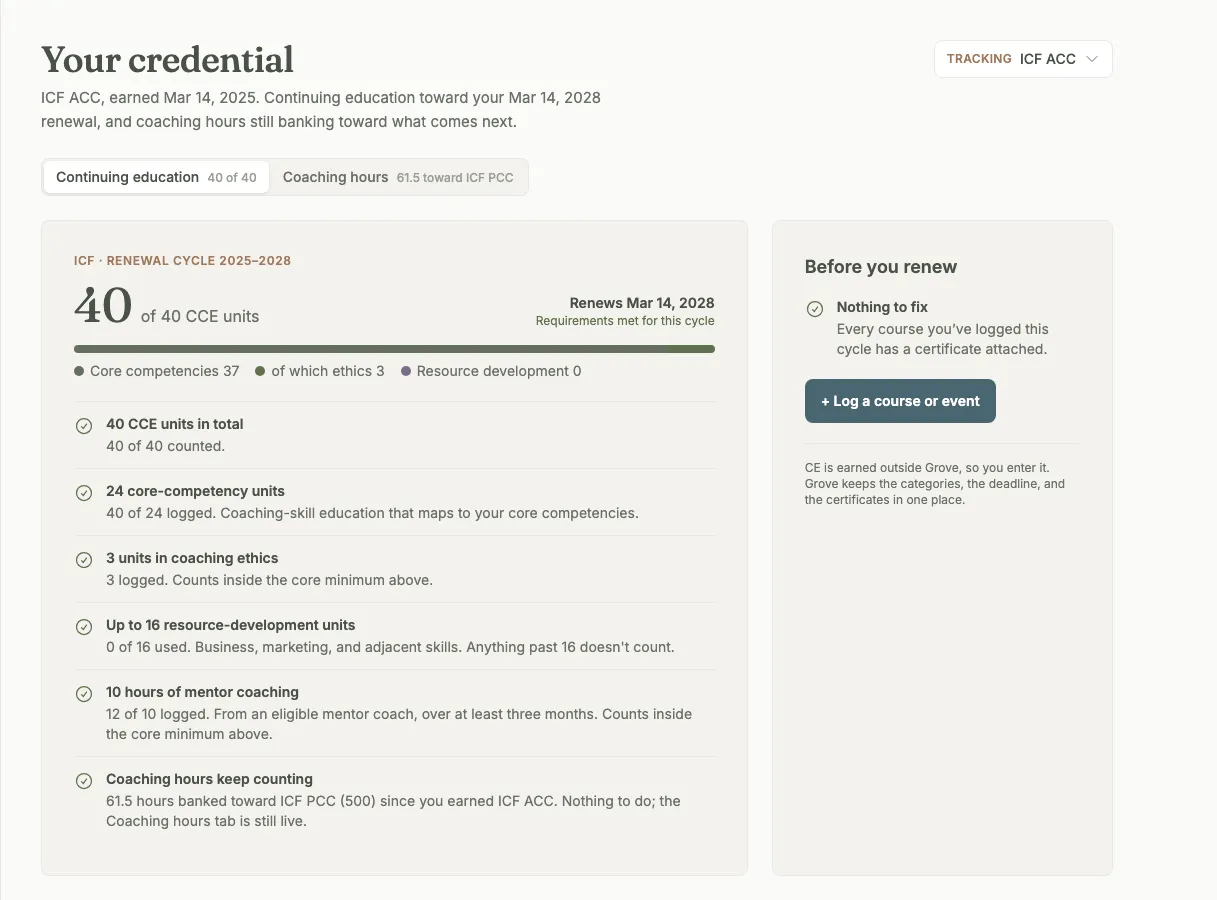
Requirements met for the cycle, with reminders at six and three months before renewal so the scramble never starts.
How coaching hours work
- Every session you mark complete in Grove lands in your log with its date, its length, and who was in the room. Cancelled sessions never count, and neither do your self-coaching or sample clients.
- Pick the credential you are working toward: ICF ACC, PCC, or MCC, or NBC-HWC. Same sessions, different rules, and switching never re-enters data.
- Paid, bartered, or pro bono is set once per client and inherited by every session. ICF counts bartered as paid, so Grove does too. A single session can be changed from its wrap-up without touching the rest.
- A progress card that reads the way you think about it: hours to go, and about how many weeks at your recent pace, with paid, pro bono, and not-yet-set hours shown separately.
- A Before you export card lists the gaps your credentialing body would notice, each with the button that fixes it: a client with no compensation set, a session still on the 60-minute default, a missing contact, a session with no topics.
- Hours from before Grove go in once, one row per client, and are marked "added by coach" in the export so the file says exactly what you attested to.
- Export the shape your body expects: an ICF client log, NBHWC's seven-column session log with coded identities instead of names, or a plain session CSV. The file is built from the same numbers as the page.
- Earned it? Say so, and the page becomes a renewal tracker: continuing education logged by category, certificates attached beside the hours they prove, and reminders at six and three months before renewal.
- Your coaching hours keep counting after you earn the credential, banked toward the next level or toward your own record.

Coaching hours fits coaches working toward an ICF or NBHWC credential, newly certified coaches counting toward the next level, and anyone whose renewal has ever started with a search for a certificate from two years ago.
- Track your coaching hours for ICF and NBHWC → — the full walkthrough: pick the credential you are tracking, add clients from before Grove, set paid or pro bono, confirm lengths, and export the log.
Common questions
Which credentials does it track?
ICF credentials (ACC, PCC, and MCC) and NBHWC's NBC-HWC. Each has its own log shape and its own rules, and the same sessions feed all of them, so you can switch the credential you are tracking without entering anything twice. The requirement figures on the page are the body's published minimums; check the current application before you file. The Grove Journal has a plain-language guide to what each body asks for.
Do I have to re-enter my sessions?
No. A session you mark complete in Grove is already in the log. The one thing Grove never asked you before is whether a client pays you, so you set paid, bartered, or pro bono once per client. Hours you coached before Grove are typed in once, one row per client, and stay in the log from then on.
Do clients who do not use the app count?
Yes. A client you track by name only, with no signup, counts exactly like a client in the app. If you run your sessions in Grove and mark them complete, the log holds them. You can keep a credential log from your first client without inviting anyone in.
Does Grove verify or submit my hours?
No. Grove keeps the record you give it and builds the file from it. You attest to your hours, and your credentialing body reviews the log; nothing is sent to ICF or NBHWC on your behalf. Rows you added by hand are marked "added by coach" in the export so the file never claims more than you did.
Does the NBHWC export include client names?
No. NBHWC's official log asks for a coded identity instead of a name, so the export uses one, and the topics-discussed column is yours to edit before you download. The ICF client log does include names and, if you choose, contact details, because that is what ICF asks for. Either way, the download is yours, and nothing leaves Grove until you send it.
What happens after I earn the credential?
Open the credential picker and choose "I've earned this" with the date. The page switches to your renewal: continuing education by category (for ICF, core competencies, ethics, resource development, mentor coaching, and supervision; for NBHWC, approved hours), a certificate attached to each entry, and reminders six months and three months before renewal. Your coaching hours keep counting toward the next level. If you picked the wrong date, you can edit it or move back to the earning stage without losing a thing.
What does it not do?
It is not accounting software: payments run through your own Stripe account, and nothing syncs to QuickBooks or Xero. It does not import a spreadsheet, and it covers ICF and NBHWC only for now. It keeps the count. The claims stay yours.
Related features
External clients
Clients you coach outside the app, tracked by name only. Their completed sessions count in your log like everyone else.
Learn more →Client notes
The session record each log row opens: what happened, in your words, with the length and the topics already there.
Learn more →Booking and payments
Where most logged sessions begin: a client books, the session lands on your schedule, and you mark it complete when it happens.
Learn more →
Let the log keep itself
Start free on yourself. No clients to set up and no credit card, so you experience what your clients will before you invite anyone in.
Try Grove →I set it up with you. You're live in a day. Book a setup call →
