
Give clients a professional experience from the first click
One polished place for a client to read how you work, pick a time, complete intake, and pay. You set your prices once: session types, packages, even a free intro consult. Stripe handles the card, the session lands on your calendar, packages keep their own count, and your Payments tab shows who has paid without opening a spreadsheet.
Try Grove →Booking used to be a scheduling tool over here, a payment app over there, and a spreadsheet holding it together, and the first thing a new client met was the seams. Now the first click looks like the practice you want her to experience, and the ledger of who has paid and whose package is running low stops living in your head or your Sunday evening.
Booking and payments, end to end.
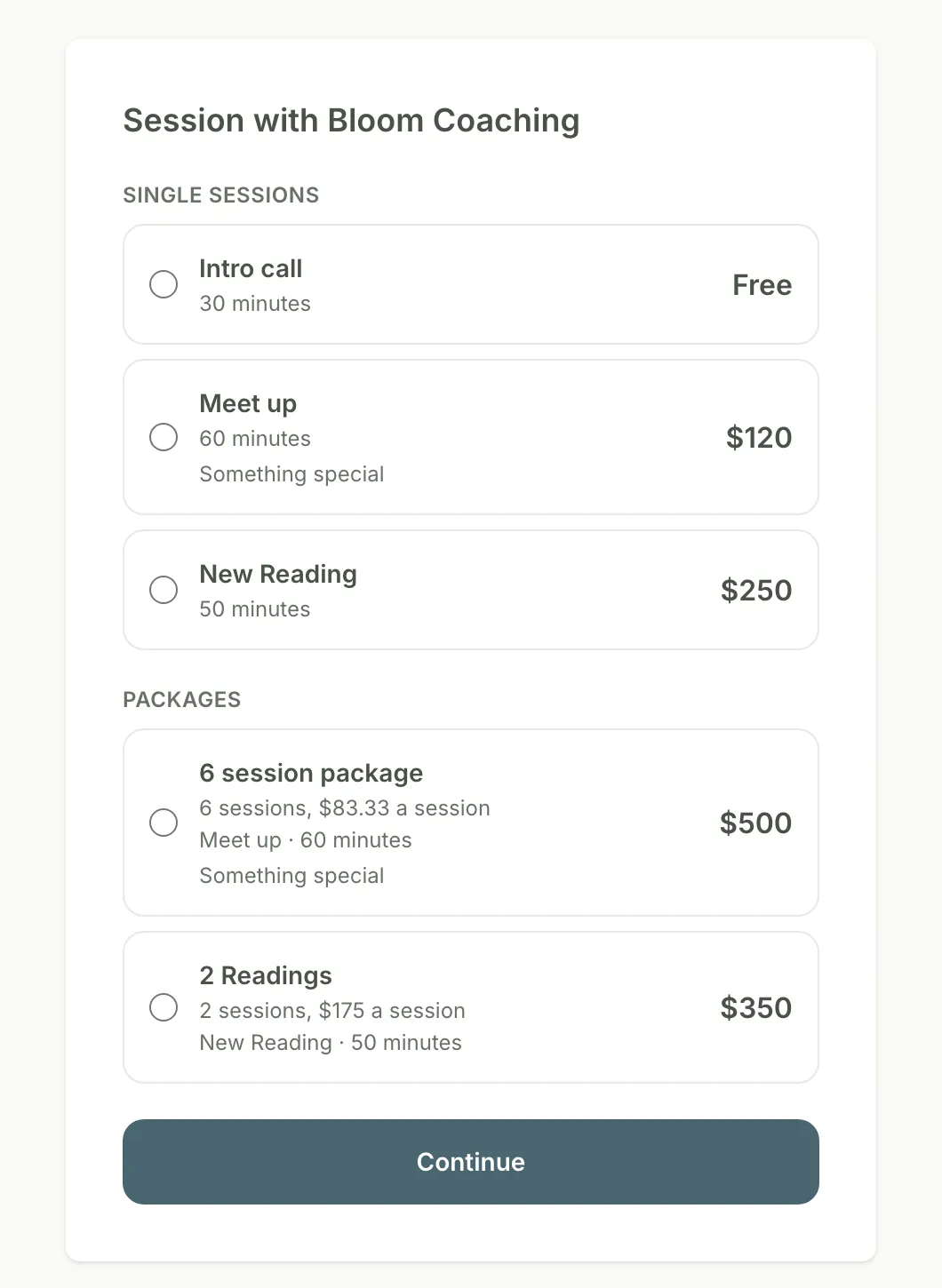
What your client sees: your catalog, your prices, one Continue button.
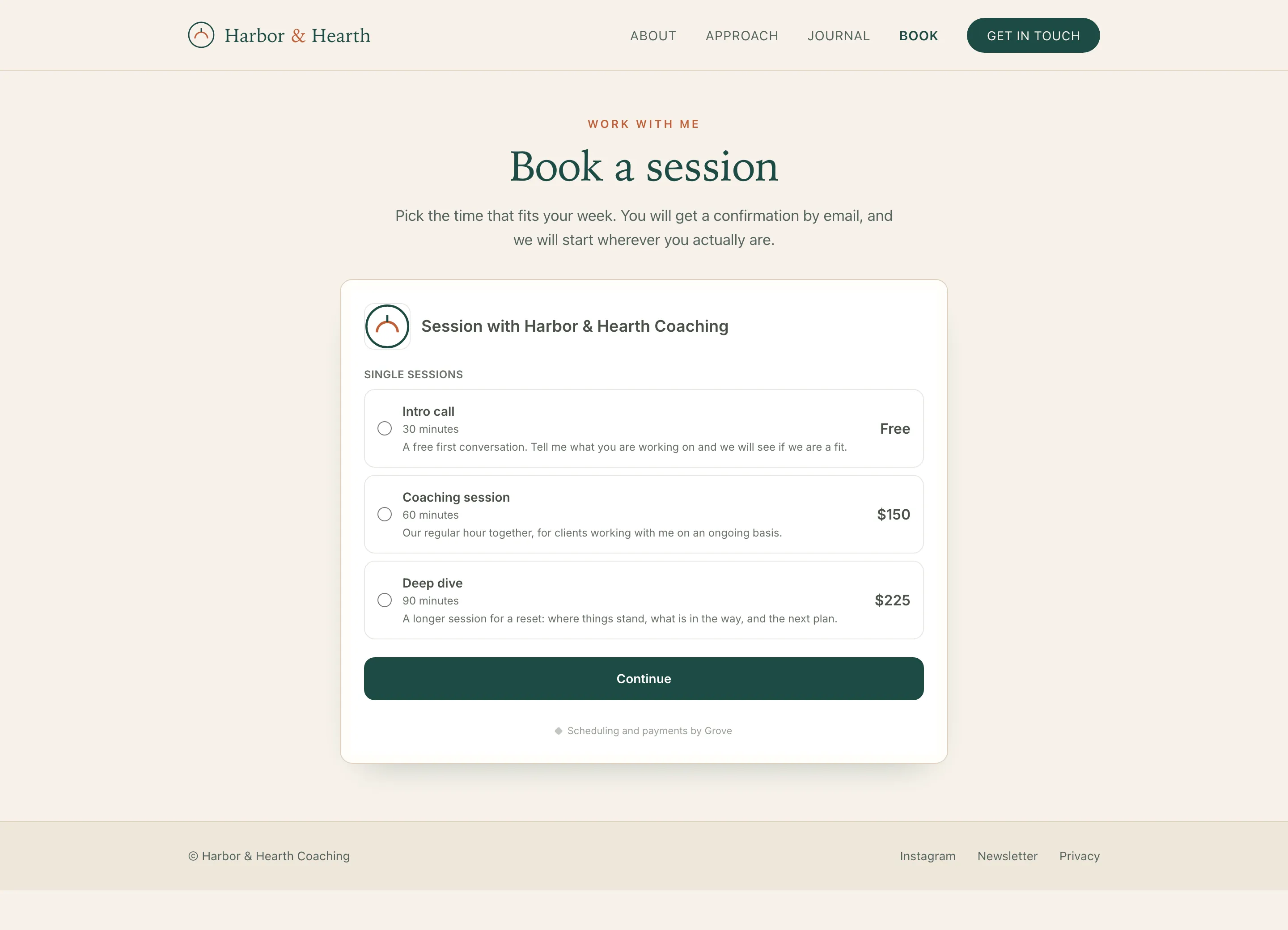
On the website you already have. The embed takes your branding, so clients pick a time and pay without leaving your site.
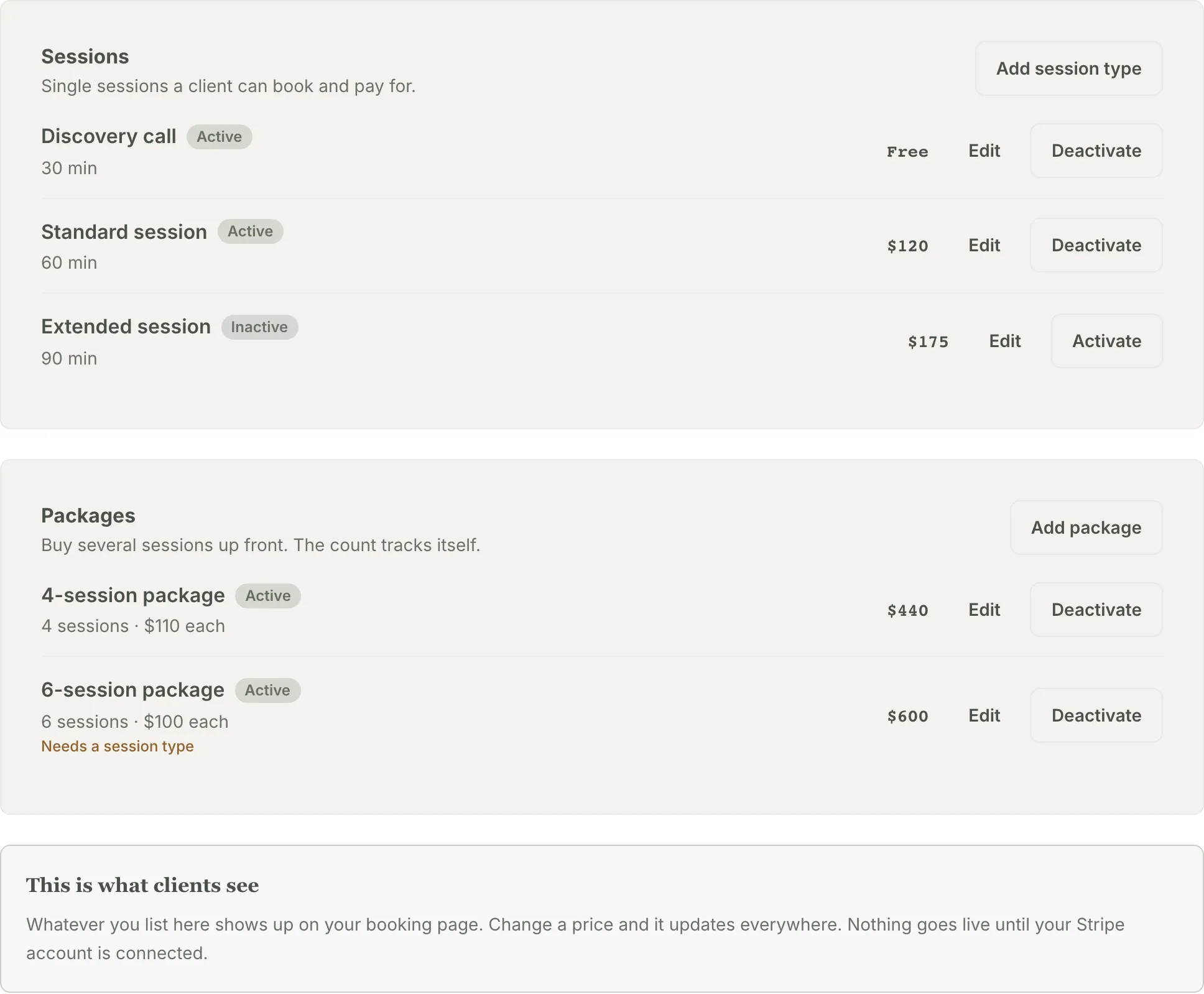
Set your session types and packages once. What you list here is what clients see.
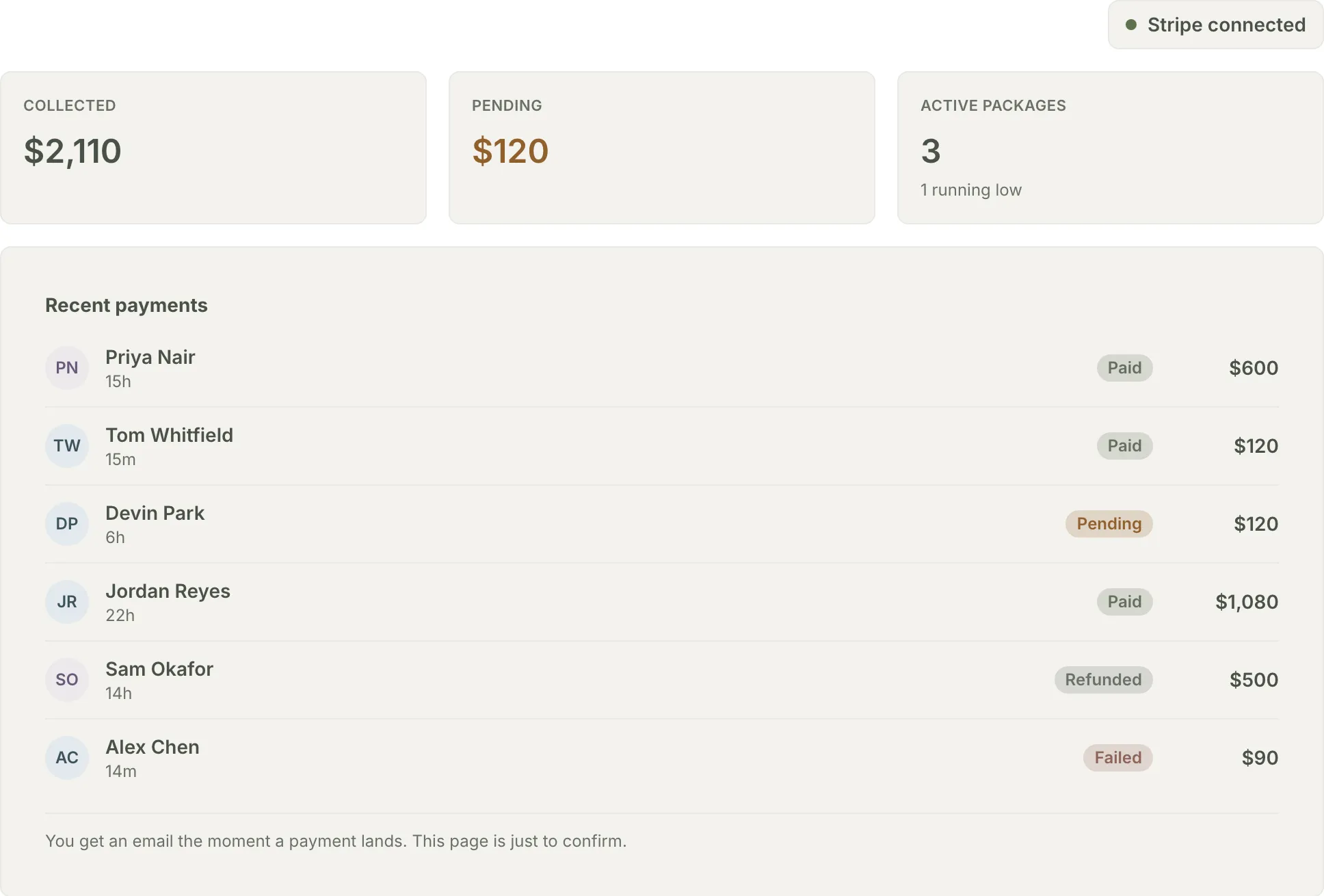
Collected, pending, and who has paid, at a glance. Grove emails you the moment a payment lands.
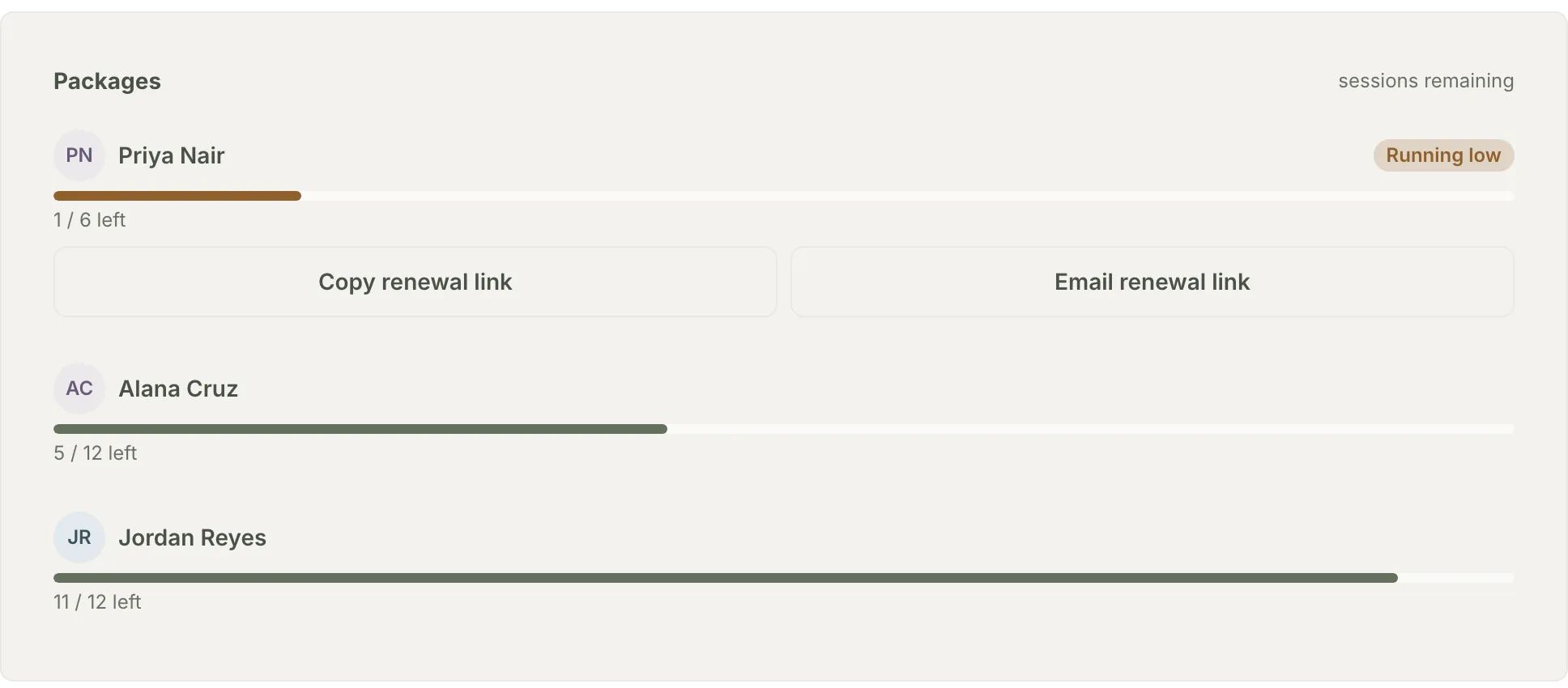
Every package keeps its own count. Running low comes with a one-click renewal link.
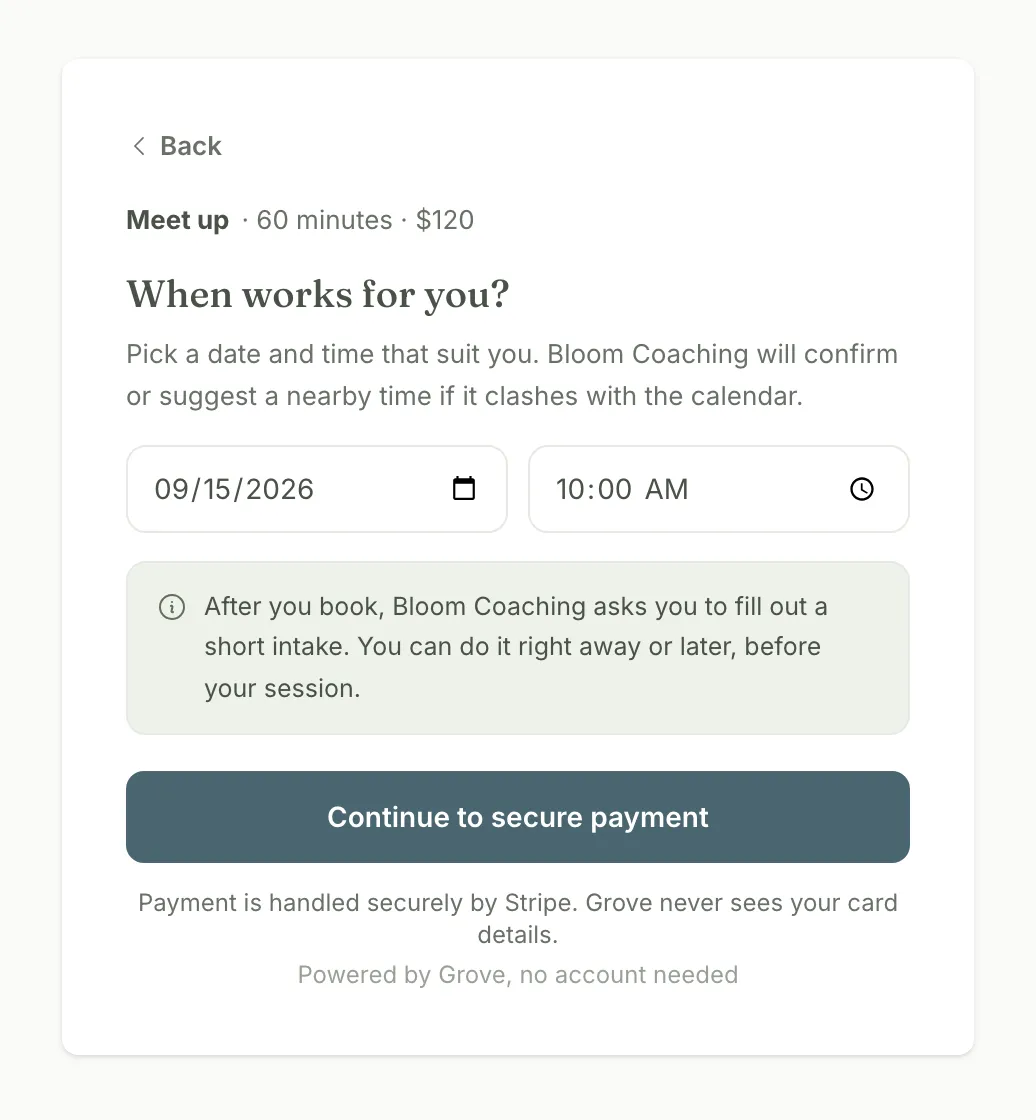
The default: paying is part of booking. Your client picks a time and pays in the same flow. Nothing for you to send.
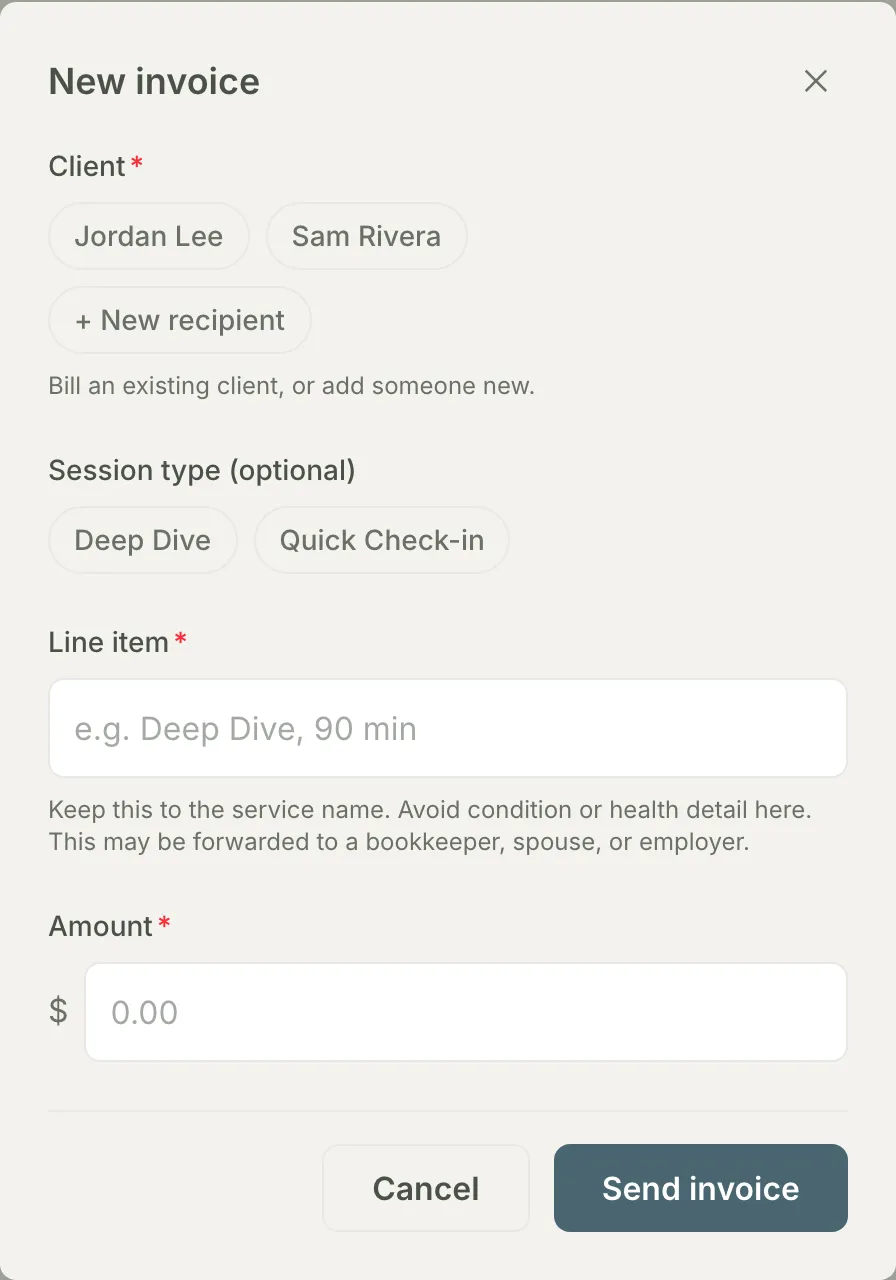
The exception: a one-off invoice for anything outside the catalog, payable without a Grove account.
How booking and payments work in Grove
- Your approach, in your words, at the top of your booking page, so a prospect reads how you coach before she sees a price.
- A pricing catalog you set once: session types with a name, duration, price, and a description clients see when they book.
- Packages that keep their own count. A client buys six sessions up front, and Grove tracks the remaining balance as they book.
- Book-and-pay in one step: your client picks a time and pays with a card, handled end to end by Stripe.
- Free offerings book without a card, so a free intro consult uses the same flow as a paid session.
- One-off invoices for anything outside your catalog, sent by email, payable without a Grove account.
- A booking button or a full inline embed for your own website: copy one snippet from Settings and it works on Squarespace, Wix, or WordPress.
- A Payments tab that shows collected, pending, and every package balance, with a running-low nudge and a one-click renewal link.

Let clients understand why you're the coach for them.
Your booking page does not just list times. Write your approach once in Settings, a sentence or two on how you coach, what working together feels like, and the kind of change you help create, and it is the first thing a prospect reads on your booking page. The people who book arrive already understanding what makes your practice different.
- Written once, shown at the top of your public booking page, before any price.
- In your words: an NBC-HWC can say behavior change and measurable outcomes; a grief coach can say something else entirely.
- Change it any time. The page updates the moment you save.
Built for coaches who sell sessions and packages directly to clients and want the payment step to feel as considered as the coaching.
- Set up your pricing and get paid → — the full setup walkthrough: connect Stripe, build your session types and packages, send your first invoice, and read the Payments tab.
- Add booking to your website → — paste a Book a session button onto your Squarespace, Wix, or WordPress site so visitors pick a time and pay without emailing you first.
- Switch from Acuity to Grove → — rebuild your appointment types, availability, and Stripe connection in Grove, and move your booking link over on your own schedule.
Common questions
Does Grove take a cut of client payments?
No. Grove adds no platform fee on client payments. The money moves through your own connected Stripe account, so Stripe’s standard card-processing fees apply, and everything after that is yours.
Do my clients need a Grove account to pay me?
No. An invoice goes to any name and email you enter and is paid on a Stripe-hosted page. Booking links you share with clients work the same way: they pick a time and pay in one step.
How do packages work?
You create a package from one of your session types, set the number of sessions and the price, and Grove tracks the remaining count as your client books. When a package runs low, your Payments tab flags it and gives you a renewal link to copy or email in one click.
Can clients book from my own website?
Yes. Grove gives you two snippets bound to the same booking link: a Book a session button in plain HTML that works on every plan of every site builder, and a one-line embed that renders your whole booking flow inline on your page. Paste either into a code block on Squarespace, Wix, or WordPress. Free sessions complete right on your page, and paid sessions open Stripe checkout in a new tab.
Can Grove replace my current scheduling tool?
For most solo coaching practices, yes: session types, packages, Stripe payments, a booking link, and a button or embed for your own site cover what a scheduling tool does. What carries the decision is usually the gaps, so we wrote them down. The Acuity Scheduling alternative comparison is honest about the four things Acuity still does that Grove does not, and the switch guide covers the move itself. If you are weighing the bigger question of replacing your whole admin stack, not just the scheduler, see what coaching practice management software should actually do.
Can I keep Calendly, Squarespace Scheduling, or Acuity?
Yes. Grove’s booking page is optional, so keep your current scheduling link for as long as it serves you and add sessions to Grove yourself. Check-ins, notes, and session prep work the same either way, and Grove tracks a package’s remaining sessions next to the coaching itself. The full answer is in the coach FAQ.
Can I use my existing Stripe account with Grove?
Yes, sign in with it. Your payments go through your own Stripe account, under your own login, with no Grove platform fee, and it stays yours if you ever leave. Grove creates a new Standard account under that login for your client payments, so Stripe asks you to confirm business details again. The full answer is in the coach FAQ.
When does the money reach my bank account?
Stripe pays out directly to the bank account you connect during setup, on Stripe’s payout schedule. Your Client payments card in Grove shows whether payouts are enabled.
Is my clients’ payment information safe?
Card details are handled entirely by Stripe and never touch Grove. Invoices and payment records are protected with encryption in transit and at rest, with strict isolation between coaches’ data.
Related features
Google Calendar sync
Bookings land on your Google Calendar, and your busy times shape what clients can book. Nothing double books.
Learn more →Session prep
Every booked session arrives with prep: what your client has been doing, and what to open with.
Learn more →Client check-ins
The session your client just paid for sits inside a daily rhythm of check-ins between sessions.
Learn more →
Look like the practice you want clients to experience
Connect Stripe, list your sessions and packages, and send your first booking link. The setup takes about twenty minutes.
Try Grove →