Every coach’s first Grove client is themselves. When you create an account, Grove’s guided setup doesn’t hand you an empty dashboard and wish you luck. It asks one question about your practice, offers you a few goals of your own, walks you through a real check-in and your first AI-written Daily Pulse, then puts one recommended start on your dashboard. About five minutes in, you’re not reading about the product. You’re using it the way your clients will.
This guide walks the whole first session: creating your free account, completing the guided setup (the practice question, your own goals, meeting Sage, your AI assistant), picking your first path, learning Grove Home, meeting Riley (your sample client), and settling into the daily check-in rhythm that makes session prep work. Your own goals are optional in the setup; this guide takes the path where you say yes to them. Run it for a few days before you invite a real client and you’ll walk into that relationship with muscle memory instead of guesses, and because coaching yourself first practices real coaching competencies, there’s a section at the end mapping the two.
The terms you’ll see
A few words carry precise meanings in this flow. Here’s the map:
| Term | What it means |
|---|---|
| Guided setup | The five-minute flow right after sign-up that saves your intake and ends with your first Daily Pulse and one recommended start. |
| Practice lens | Your answer to the setup’s first question, “What would you most like Grove to take off your plate?” It decides which start Grove recommends. |
| Recommended start | The one path Grove leads with on the arrival screen and on Grove Home: prep a real session, or get a booking link. The other paths stay one click away. |
| Outcome areas and goals | The library of focus areas (Sleep and recovery, Movement and fitness, and more) and the plain-language goals under each. Your clients pick theirs the same way during their own onboarding. |
| Self-coaching | Using Grove on yourself, the same way your clients use it, from your own seat in the practice instead of theirs. |
| Sample client | Riley, a fully populated practice client Grove creates for every account so you can explore real product behavior without a real person. Doesn’t count against your client limit. |
| Daily Pulse | The short, Sage-written read of what changed and what matters, generated from your (or a client’s) recent check-ins. |
| Starting line | The first-run state of an empty surface (Clients, Notes, Sessions, Resources): what will live there, and one action to get it started. |
Before you start
- All you need is an email address. There’s no credit card and no application for the free tier.
- The guided setup takes about five minutes. Budget another ten to pick your first path on Grove Home and meet your sample client.
- Plan to check in once a day for a few days afterward. That’s where the real learning is.
Steps
-
Create your free account. Go to Grove’s start page and click Start free. That takes you straight to sign-up with nothing to apply for and nothing to pay.
-
Start the guided setup. After sign-up Grove greets you with “Welcome. Your first client is you.” Click Let’s begin. The setup runs about five minutes, start to Pulse.
Tip: Every screen has Save and exit in the header. Leave partway and a card on your dashboard holds your place.
-
Tell Grove what to take off your plate. The first intake screen asks “What would you most like Grove to take off your plate?” and shows eight cards, from Walking into sessions unprepared and Admin eating my week to Running on empty myself, plus Something else (write it in a sentence). Pick one and click Continue, or click Skip for now.
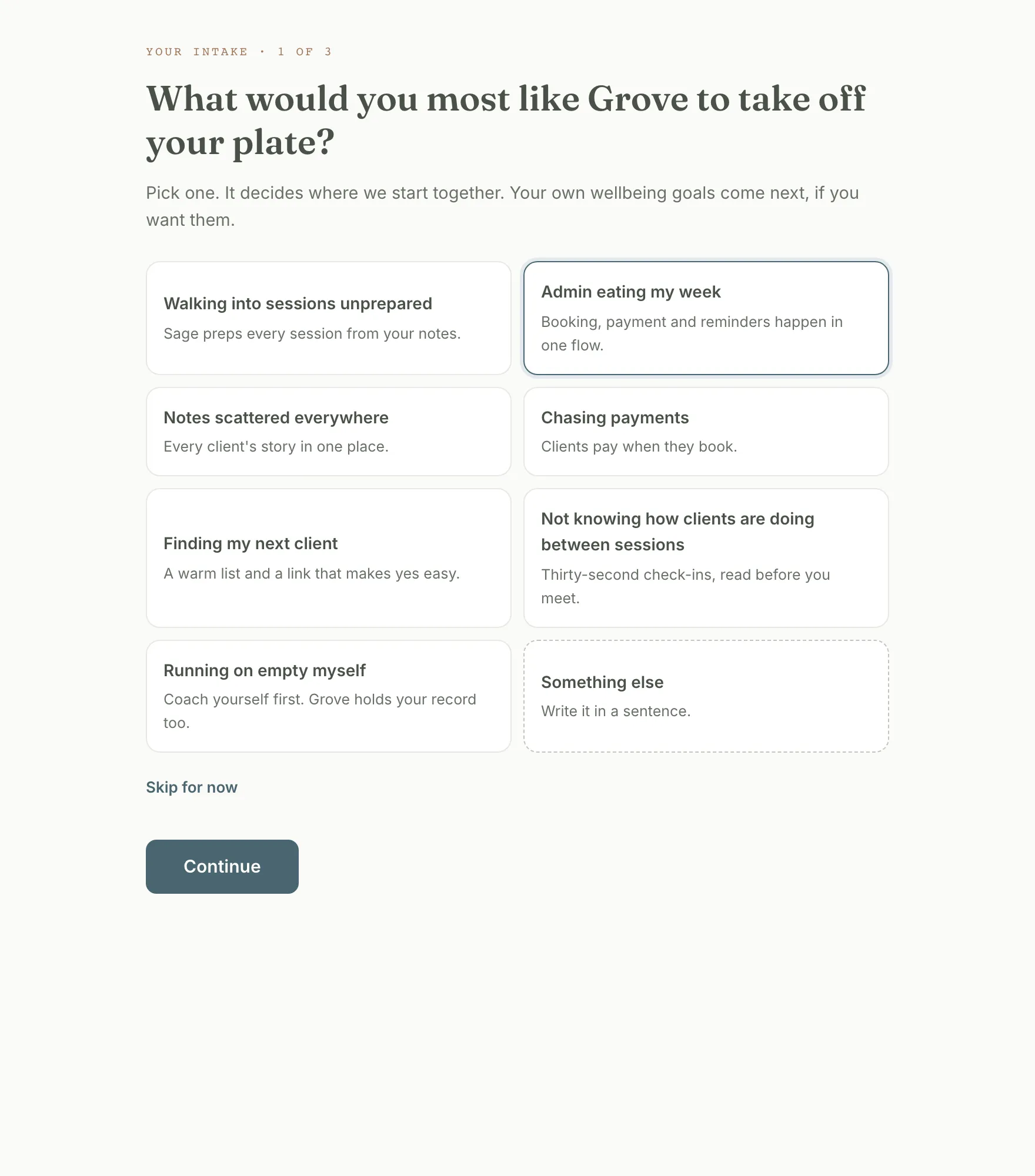
Heads up: This pick is your practice lens, and it decides where Grove starts you. Admin eating my week and Chasing payments lead to “Get a booking link”; most other answers, and a skip, lead to “Prep a real session.” Nothing here is read by AI yet; Sage asks for your consent a few screens later.
-
Say yes to your own goals. The “And for yourself?” screen asks “Want to set a few goals of your own?” Click Set my own goals. That’s the path this guide follows, because it’s the part that teaches you what your clients feel. Skip, just Grove for my clients jumps to step 6.
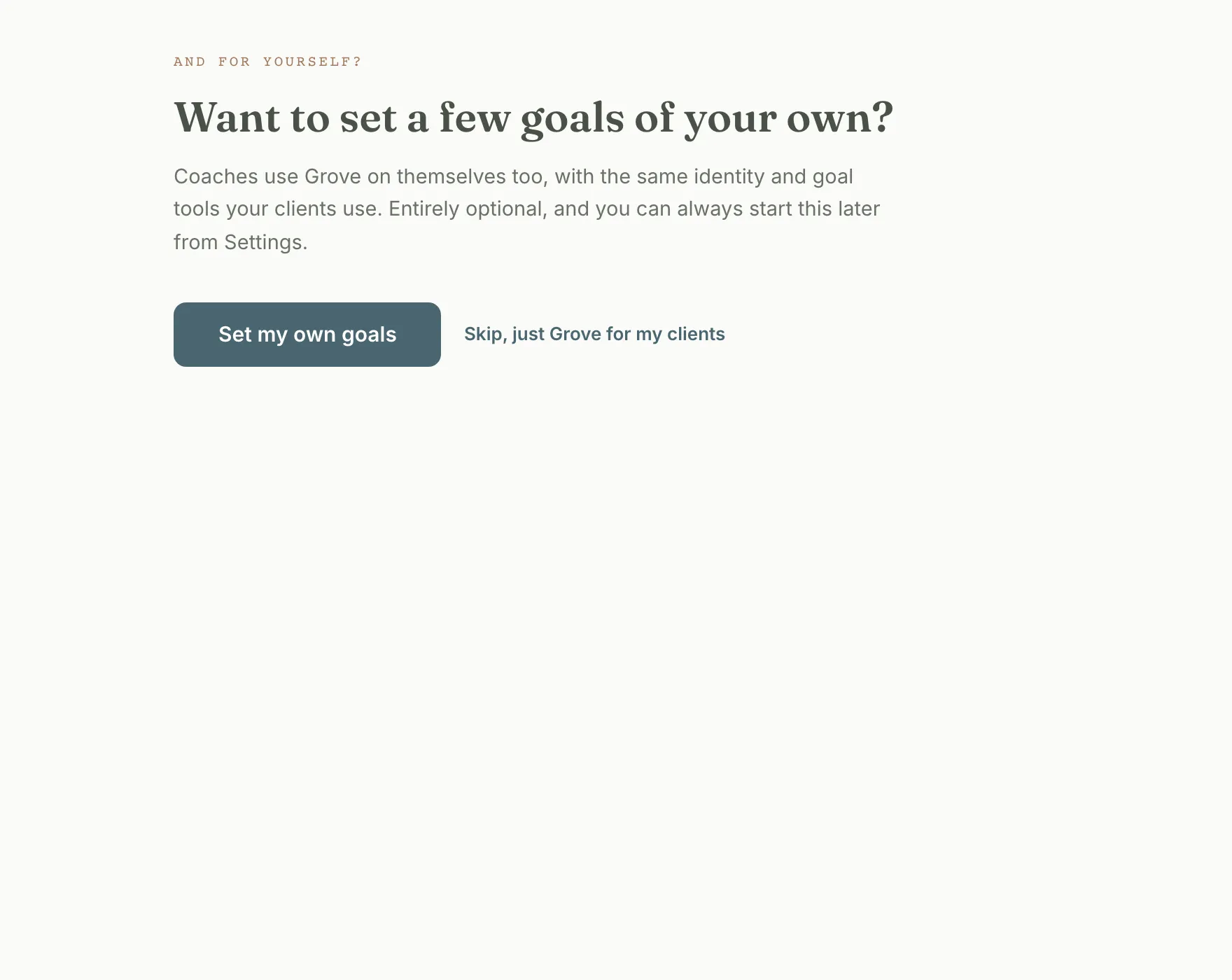
Tip: Skipping is a real option, not a trap. Your own daily check-in still lives on Grove Home afterward.
-
Name who you’re becoming, then pick your goals. The “Who are you becoming?” screen asks you to pick an identity to grow into, like being an active person, or to write your own. Then “What are you working toward?” lets you choose up to 3 areas to focus on, like Sleep and recovery, each opening plain-language goals (“I want to wake up rested”) to select from. They become your self-coaching intake and the context your Daily Pulse draws on once you enable Sage.
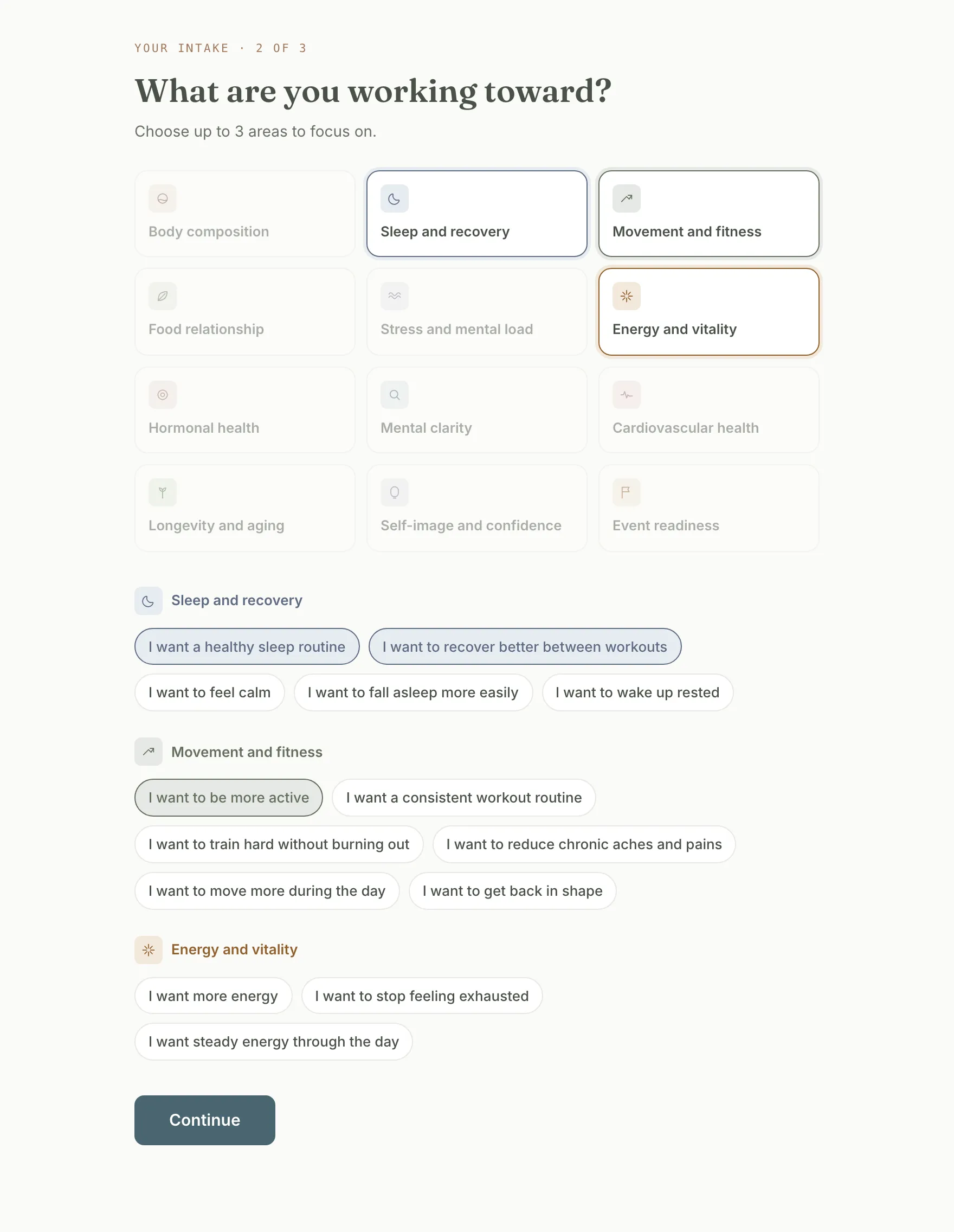
Tip: Pick what’s true for you, not what sounds coach-like. You’re about to experience how it feels when a client hands a coach their real goals, and that empathy is the point of this whole exercise.
-
Add an optional lens on your practice. The “A short lens on your practice” screen is marked “For you as a practitioner (clients never see this).” It asks who you hope to coach, what part of your work you want more of, and what your practice feels like a year from now. Fill in what you like and click Continue, or click Skip for now.
-
Read it back and save. The “Read it back.” screen shows your intake as rows, each with an Edit link: “Your focus” (your practice lens), “Identity,” “Six months from now,” “Goals,” and “Your practice · private.” Click Save my intake. Saving is the moment self-coaching activates: Grove creates your own client record, separate from your future roster.
-
Read your Grove rhythm. The “Your Grove rhythm.” screen is an explainer, not a task: after sessions, get the notes somewhere Grove can use them (the one thing Grove asks); before sessions, Sage writes the prep; once a week, Home surfaces who needs you. Click Got it, continue →. Below it, “Want a playbook for yourself?” offers First 30 Days and Stress Reset; click Add this too on one if you’d like a habit to tick off at your check-in.
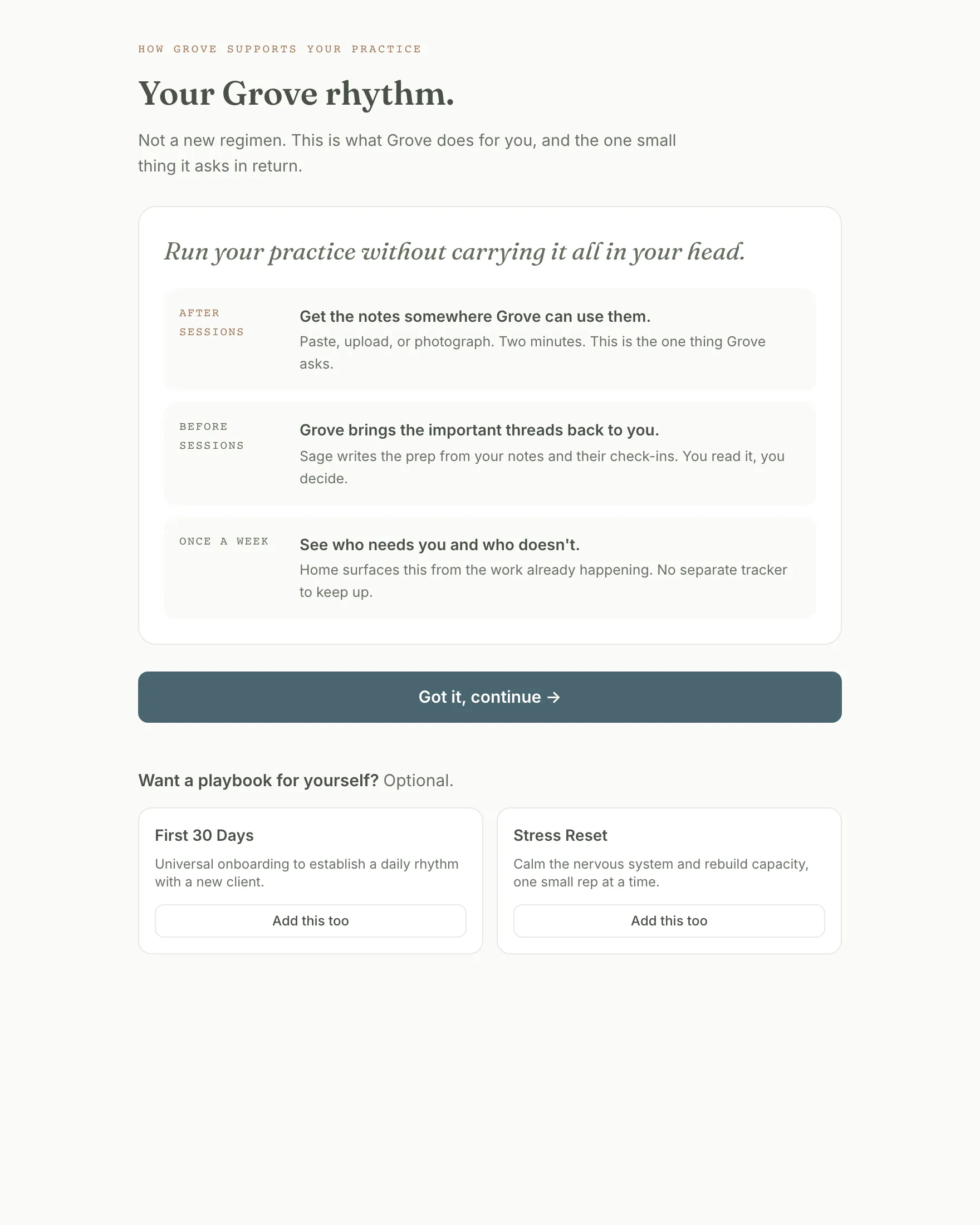
Heads up: The playbook is optional and never blocks Continue. If you skip it, your first check-in asks only how you’re feeling.
-
See how coaching works in Grove. The “Coaching here is client-led” screen states three principles: they build it, they can step back, and you always see why. Click Continue.
-
Meet Sage and decide. Sage is Grove’s AI assistant, and this is the consent moment: the screen shows what Sage reads (your check-ins and reflection forms, session notes and talking points, your intake answers) and what it never touches (your payment information, messages you send to clients, anything you mark private). Click Enable Sage & check in.
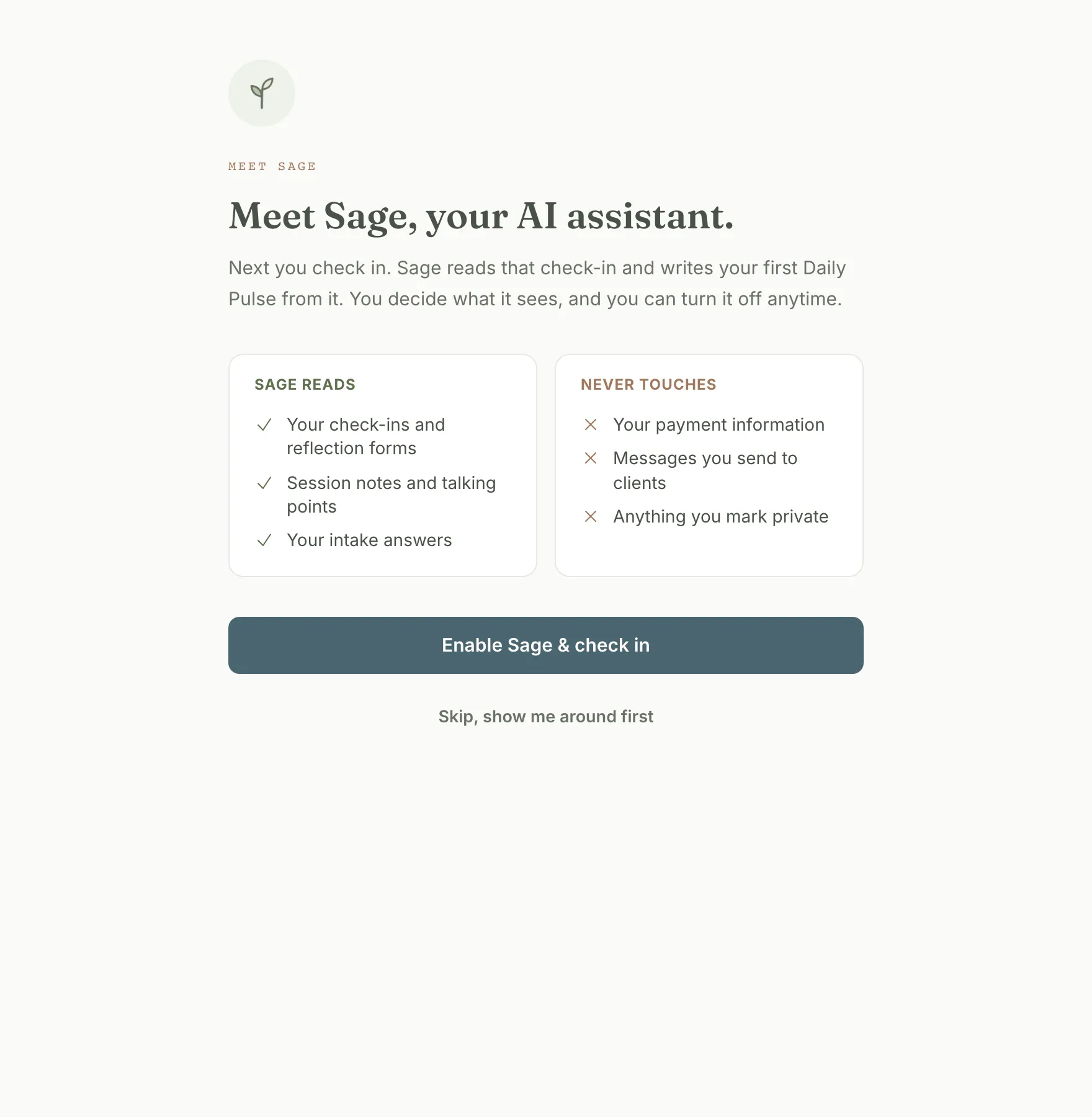
Heads up: You can click Skip, show me around first instead. Nothing else changes, and you can turn Sage on two screens later or from Settings. Your clients get the same deal: Sage reads a client’s data only after that client opts in.
-
Do your first check-in. On the “Now, check in.” screen, pick how you’re feeling (from Rough to Great), tick today’s habits if you adopted a playbook, and click Complete check-in. This is the exact daily motion your clients will do.
-
Read your first Daily Pulse. The “This is what Grove does.” screen writes a Daily Pulse from the check-in you submitted a moment ago. Not a demo, not boilerplate. Read it, then click Finish setup.
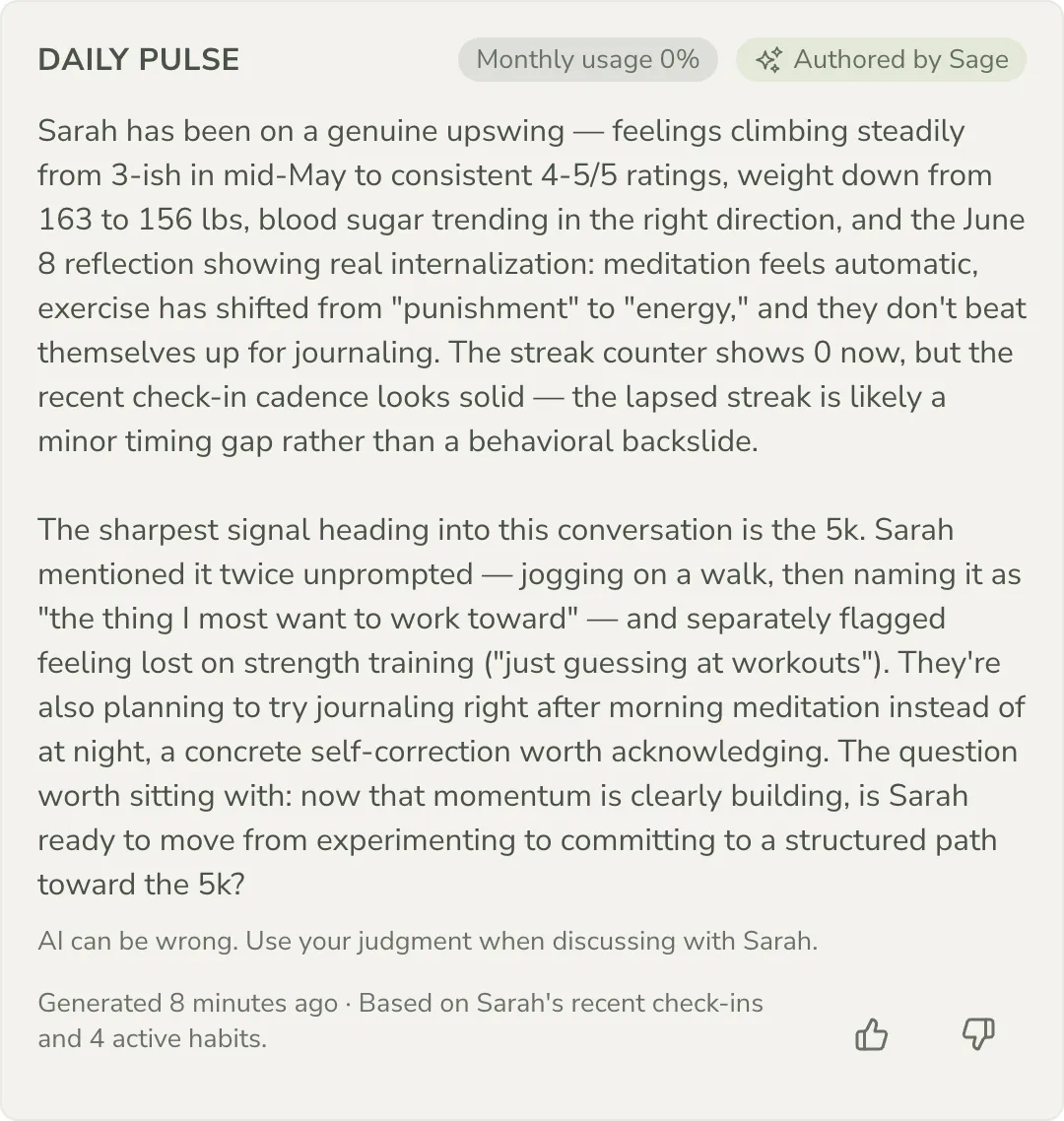
Heads up: If you skipped Sage, this screen reads “Sage is off, so there is no Pulse.” with an Enable Sage button in place. Turn it on there and your Pulse is written from the check-in you just submitted.
-
Pick your first path. The arrival screen, “Your practice has a record now.”, shows three tiles with your recommended start first: Prep a real session (4 min, no invite), Get a booking link (7 min, calendar step optional), and Bring your notes (2 min per client). A “Worth 30 seconds” strip below shows your time zone, daily check-in reminder, Sage, and Google Calendar, with a Review settings link. Click a tile, or Go to your dashboard.
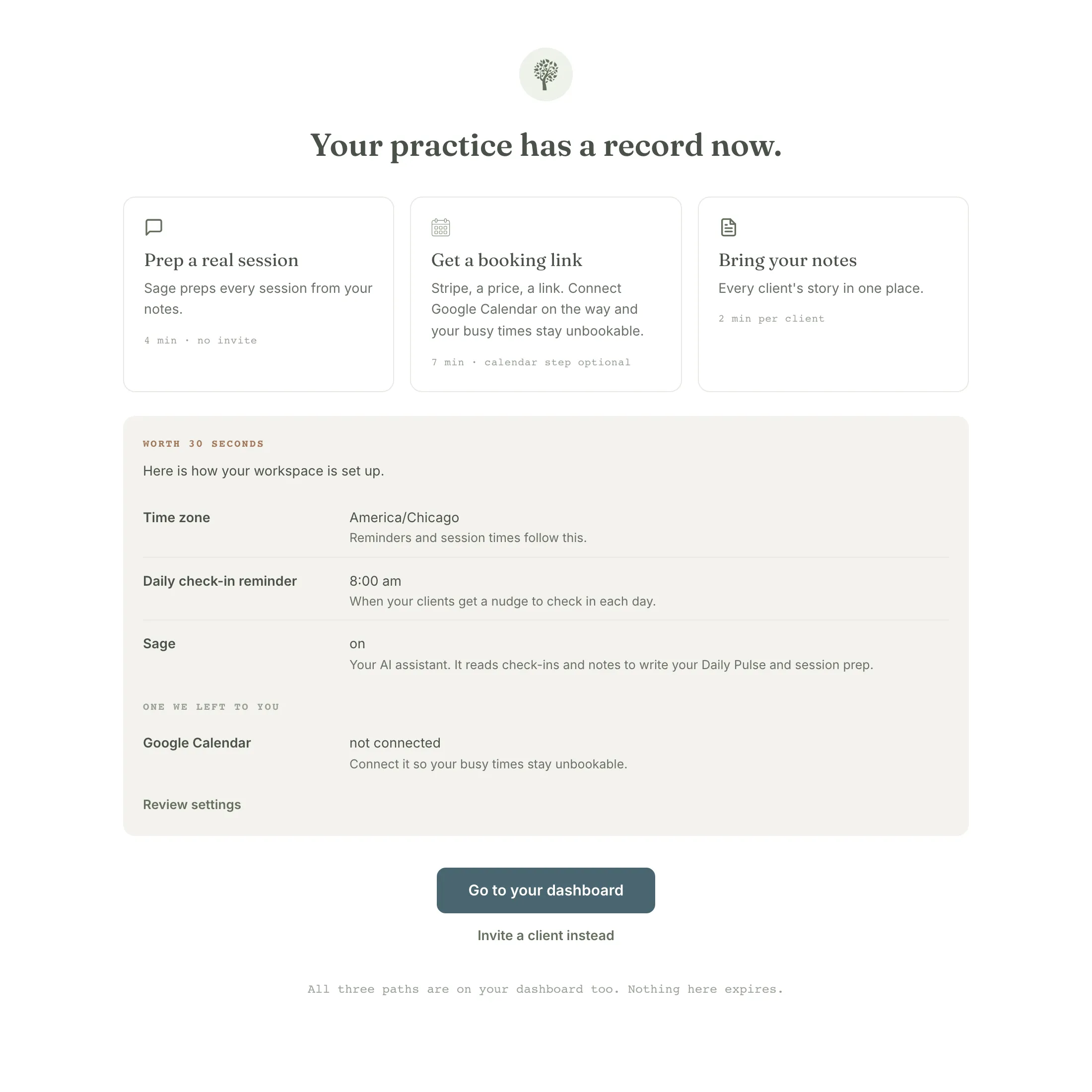
Tip: Nothing here expires. All three paths are on your dashboard too, so there’s no wrong click.
-
Start where Grove Home points. Grove Home opens with a “Start here” card for your recommended start and its numbered steps. “Prep a real session” runs name a client you already coach, paste your notes or a transcript, read the prep; “Get a booking link” runs connect Stripe, name a session and a price, connect Google Calendar (optional), copy your link. The button names the current step (Name a client or Connect Stripe). Three pills under the card reach the other paths: Set up booking, Bring over all your notes, and Invite a client. A “Plant your practice” strip counts four accomplishments: First session prepped, Booking link live, Notes in one place, First client joined.
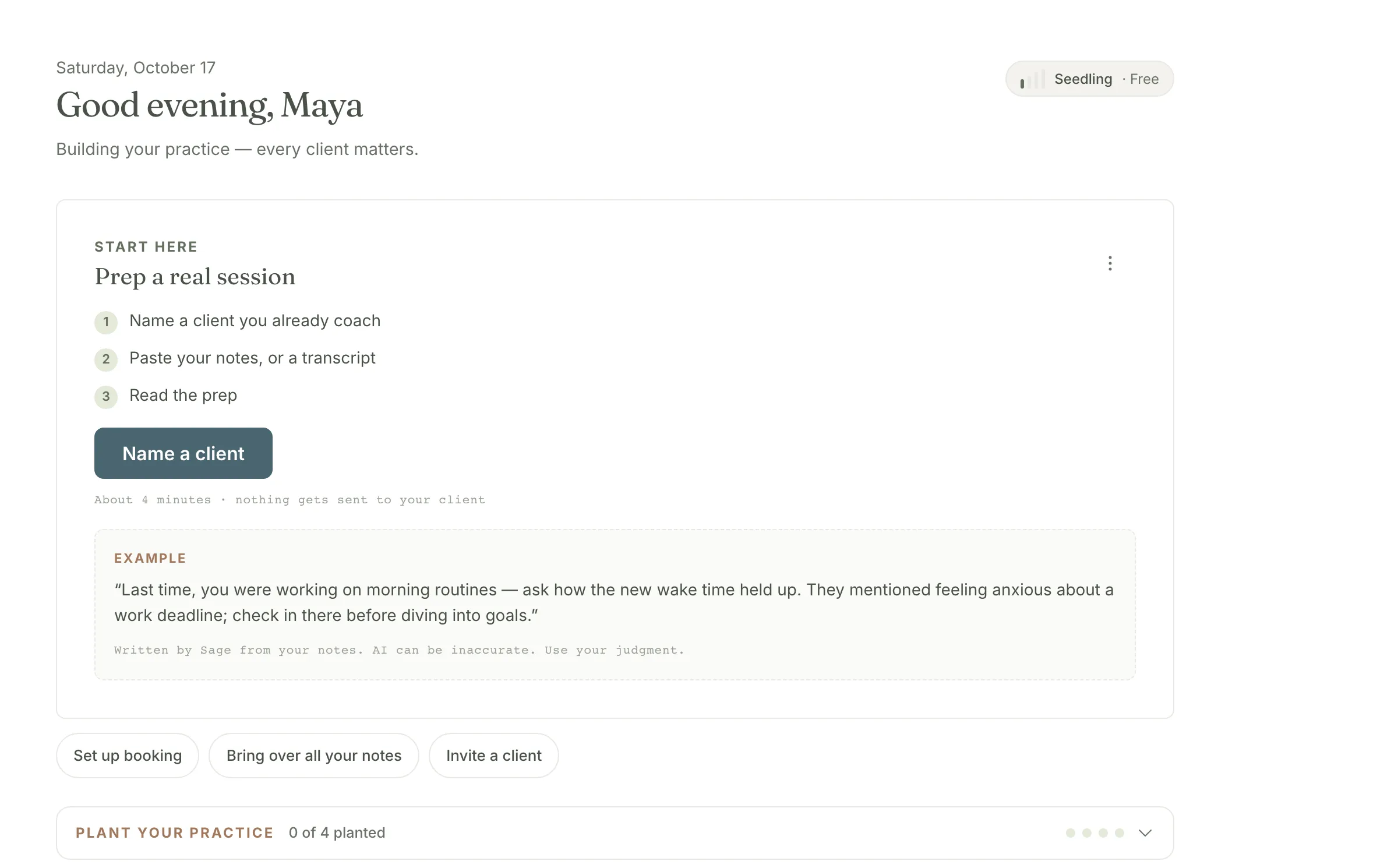
Heads up: Finish a path and its card collapses to a receipt row (Open the prep or View your booking page) while the next path steps into the slot. Not the right start? The card’s menu has Not for me; it steps aside with a Bring it back link and never nags.
-
Say hello to Riley, your sample client. Open Clients. The starting line reads “Bring your first client into Grove.” with Add a client and a Send an invite instead link (or, if your lens was Finding my next client, “Your first client will live here.” with a booking link and a warm list to start). Under it, “Your sample client” holds Riley, a practice client with goals in motion, habits being hit and missed, and a month of check-ins. Her welcome message in Messages names concrete things to try. Riley doesn’t count as a client, so the starting lines stay until you add a real one.
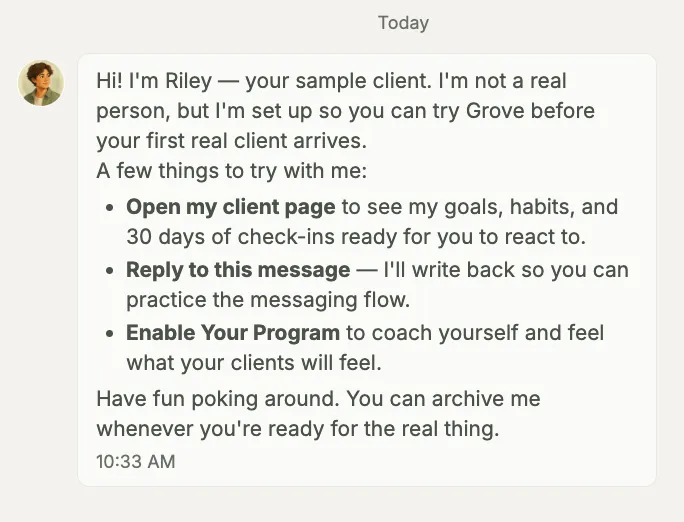
Tip: Riley and your own self-coaching record are both part of the free tier. Neither counts against your client limit.
-
Keep the rhythm going for a few days. Check in once a day from the Tend yourself card on Grove Home: how you’re feeling, today’s habits, an optional note, then Check in. One check-in per day builds your streak and sharpens each morning’s Pulse. This daily loop, felt from the client’s side, is the whole point of coaching yourself first.
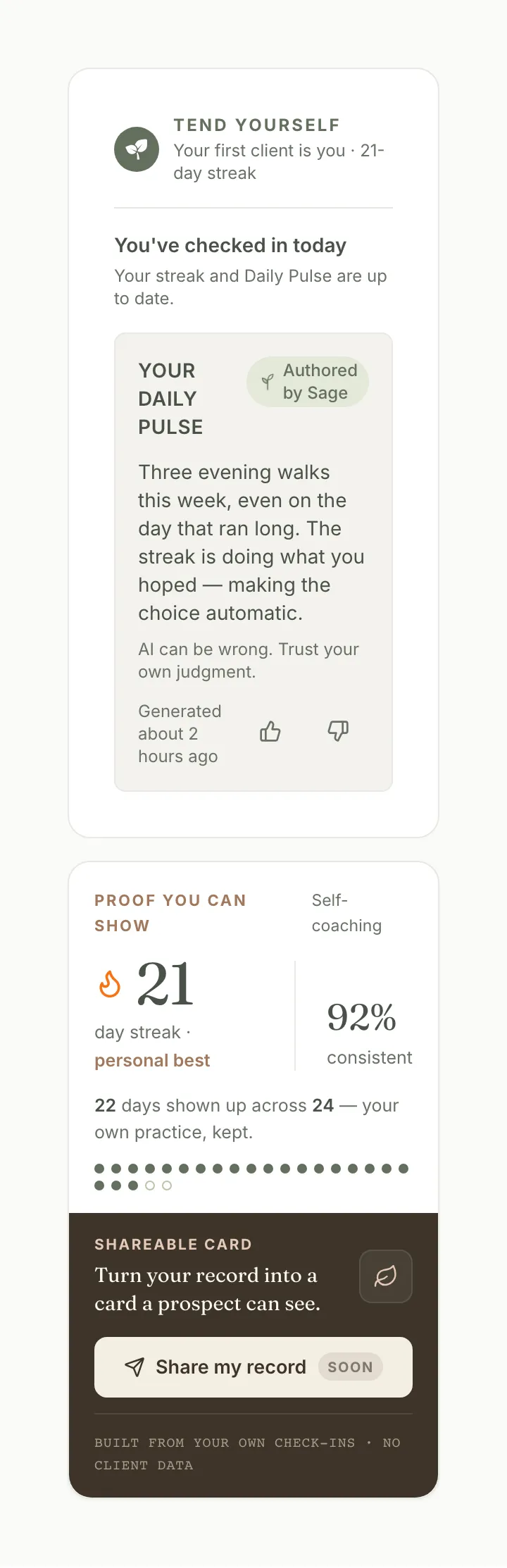
Tip: Want the full client’s-seat view? Sign in to the Grove client app with the same email you use as a coach.
-
Decide when to invite your first real client. A few days of your own check-ins is usually enough to feel the rhythm. When you’re ready, follow Invite and onboard your first client. You’ll be setting up a flow you’ve already lived, down to the outcome-goals picker your client will meet on their first day.
How coaching yourself first supports NBHWC best practices
Running the guided setup on yourself can look like a warm-up before the real work starts with clients. It’s closer to the opposite: several of the moments in this walkthrough are named competencies in the NBHWC Content Outline (2026-2030), practiced from the client’s seat before you ever coach someone else through them.
-
You practice self-awareness and self-regulation (1.2). The outline names ongoing self-awareness and self-regulation as a coach competency in its own right, not a byproduct of coaching others. Setting your own outcome goals, checking in daily, and reading your own Daily Pulse gives you a structured place to build exactly that, on a rhythm you keep for yourself.
-
You set outcome goals in your own words first (3.9.1). The outline’s goal-setting competencies start with the client defining goals in their own language, not the coach’s. The guided setup’s “Who are you becoming?” and “What are you working toward?” screens put you through that same authoring step before you ever guide a client through it.
-
You experience the AI-consent moment before a client does (Domain 4). Ethics and professional practice covers how a coach handles AI-assisted tools with a client. The Meet Sage screen shows you exactly what Sage reads and never touches, then waits for your explicit choice, the identical disclosure-and-consent pattern your future clients get before Sage ever looks at their data.
None of this replaces your own judgment about what a real client needs. It means the empathy and the standards both arrive before your first real session, not after.
What’s next
The invite guide picks up exactly where this one ends: adding a client, preparing their space while they’re still a draft, and responding to their first check-in. If you want to understand the surfaces you just met, the self-coaching mode and Sage feature pages go deeper on what you saw during setup.