Free to startCoach yourself first. No clients required, no credit card.→ Get started free
Category

An AI assistant for coaches, not an AI coach.

Grove is a platform and an AI assistant for coaches. It includes Sage, your AI assistant: Sage reads the check-ins your clients choose to share, turns your notes and transcripts into session prep, and drafts the follow-up notes you review before they reach anyone.

Sage never coaches a client on its own, and nothing it writes reaches a client until you have seen it. Sage does the reading; you do the coaching.

AI tools for coaches

What Sage actually does, task by task.

Sage does the remembering between sessions, so a quiet detail or a building pattern stops being yours alone to hold.

01Reads what clients share

Sage reads the check-ins your clients choose to share.

Every morning, Sage reads each opted-in client’s recent check-ins and surfaces a short Daily Pulse: what changed and what matters today. A client who has not opted in simply does not appear — no error, nothing surfaced.

See Daily Pulse →
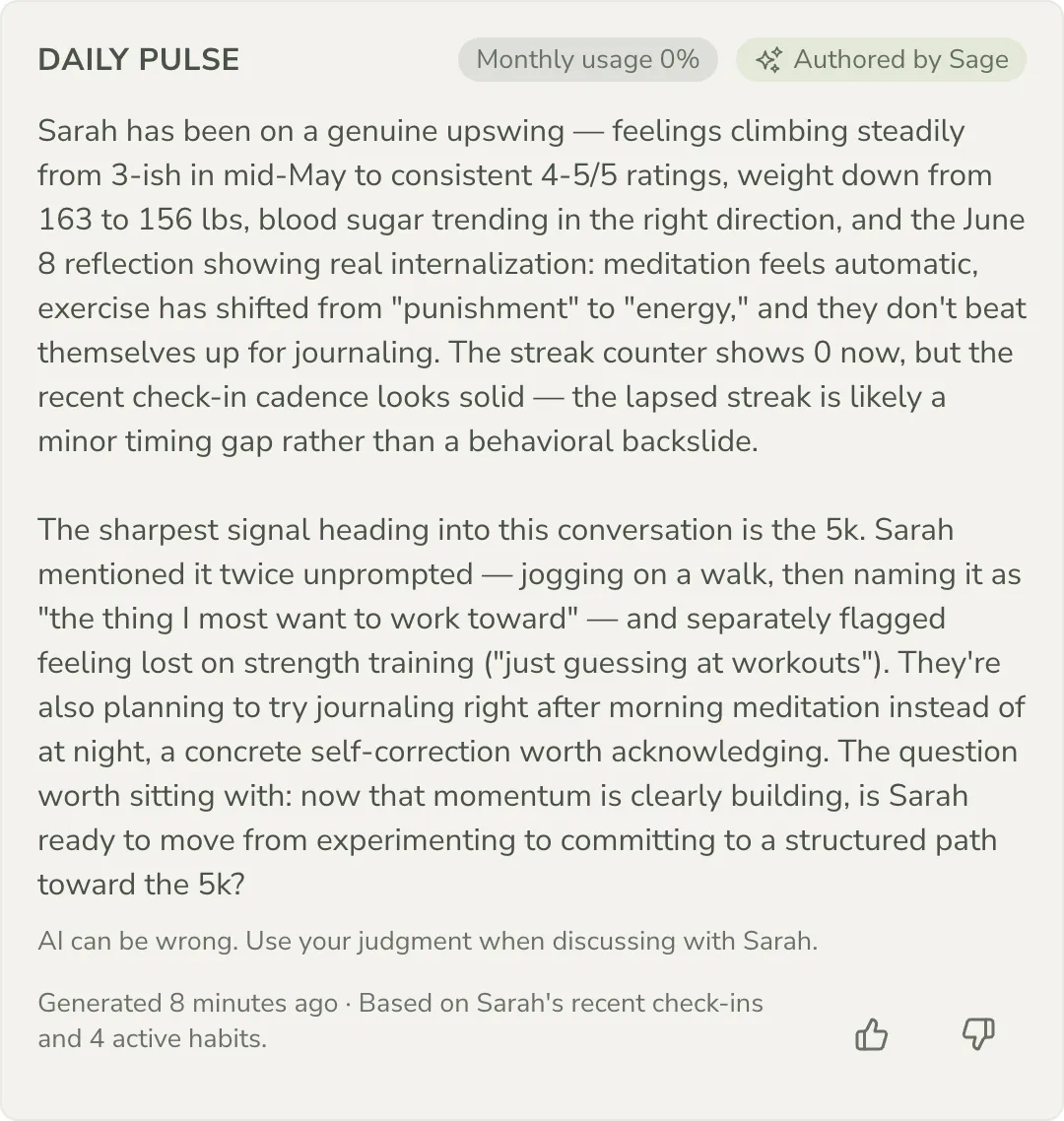
A Daily Pulse card showing a short morning briefing about a client, with an Authored by Sage marker and a reminder that the coach’s judgment leads.
02Drafts, never sends

Sage drafts your talking points. You decide what to say.

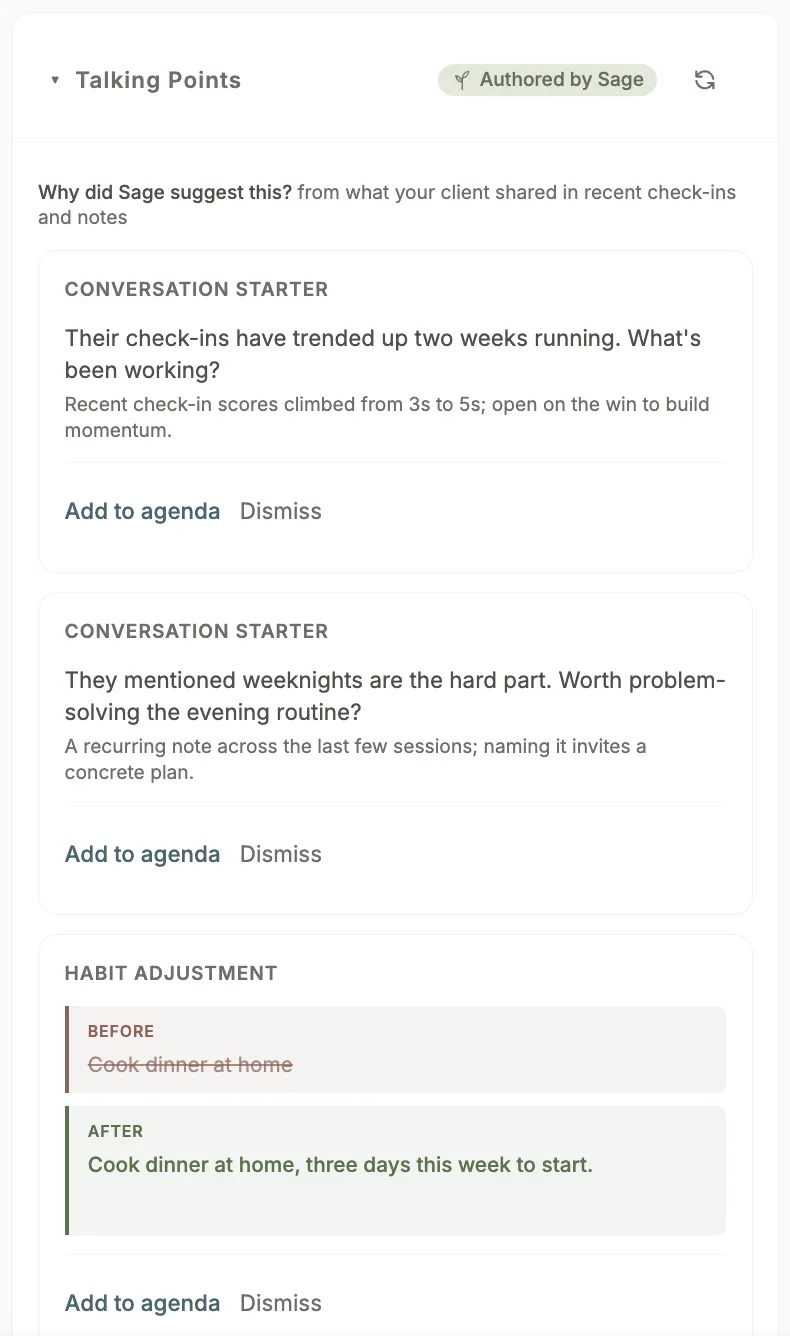
Before each session, Sage drafts a way to open, an adjustment worth proposing, and a topic worth raising, built from the time between sessions. Each item is a starting point: edit it, skip it, or promote it onto your agenda. Nothing reaches a client until you put it there.

See session prep →
A Talking Points card in the session prep view, marked Authored by Sage, showing conversation starters and a habit adjustment, each with Add to agenda and Dismiss controls.
The boundary

What Sage never does.

  • Sage never coaches a client directly. It drafts a starting point; you decide what to keep, edit, or send, and there is always a person in the loop — the coach.
  • Sage never reaches a client unseen. Talking points, session prep, and drafted follow-up notes stay with you until you act on them.
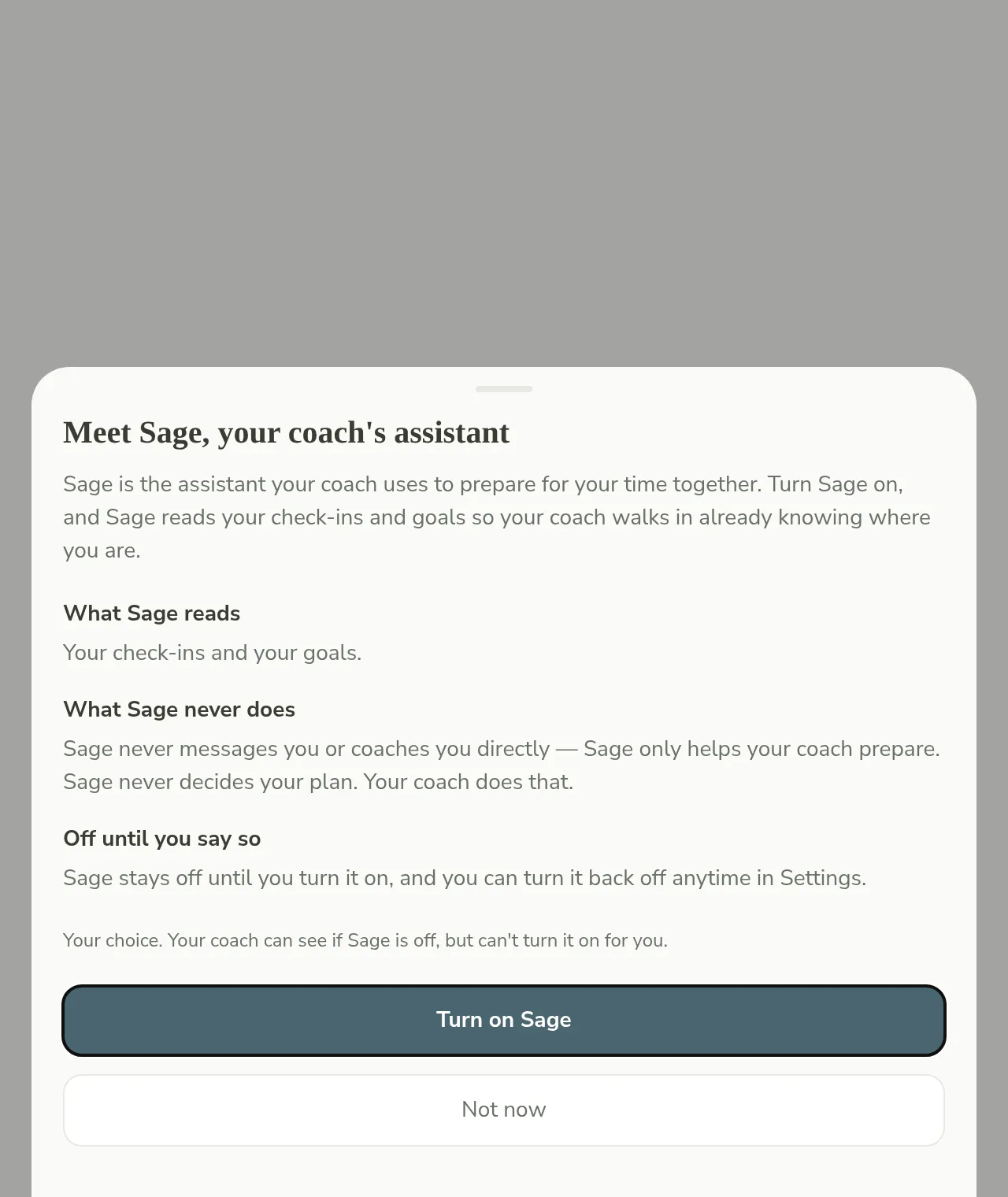
  • Sage never reads a client who has not said yes. Consent is per client, and either of you can turn it off at any time.
Trust

Consent first. Nothing reaches a client unseen.

Your client decides. Sage reads a client’s check-ins only after that client has turned AI on for themselves, and either of you can turn it off again at any time.

Sage reads what you bring it: the check-ins a consenting client submits, plus the notes and transcripts you add yourself. Your clients’ names and contact details are swapped for neutral placeholders before any of it reaches the AI, and restored only in your own view of the result.

Nothing reaches a client unseen. The drafts Sage produces — talking points, session prep, follow-up notes — stay with you until you edit, skip, or send them yourself.

The client's own consent sheet: what Sage reads and never does, staying off until they say so, and Turn on Sage or Not now buttons.
From the notebook to the next session

Handwritten notes become session prep, line by line, with your review.

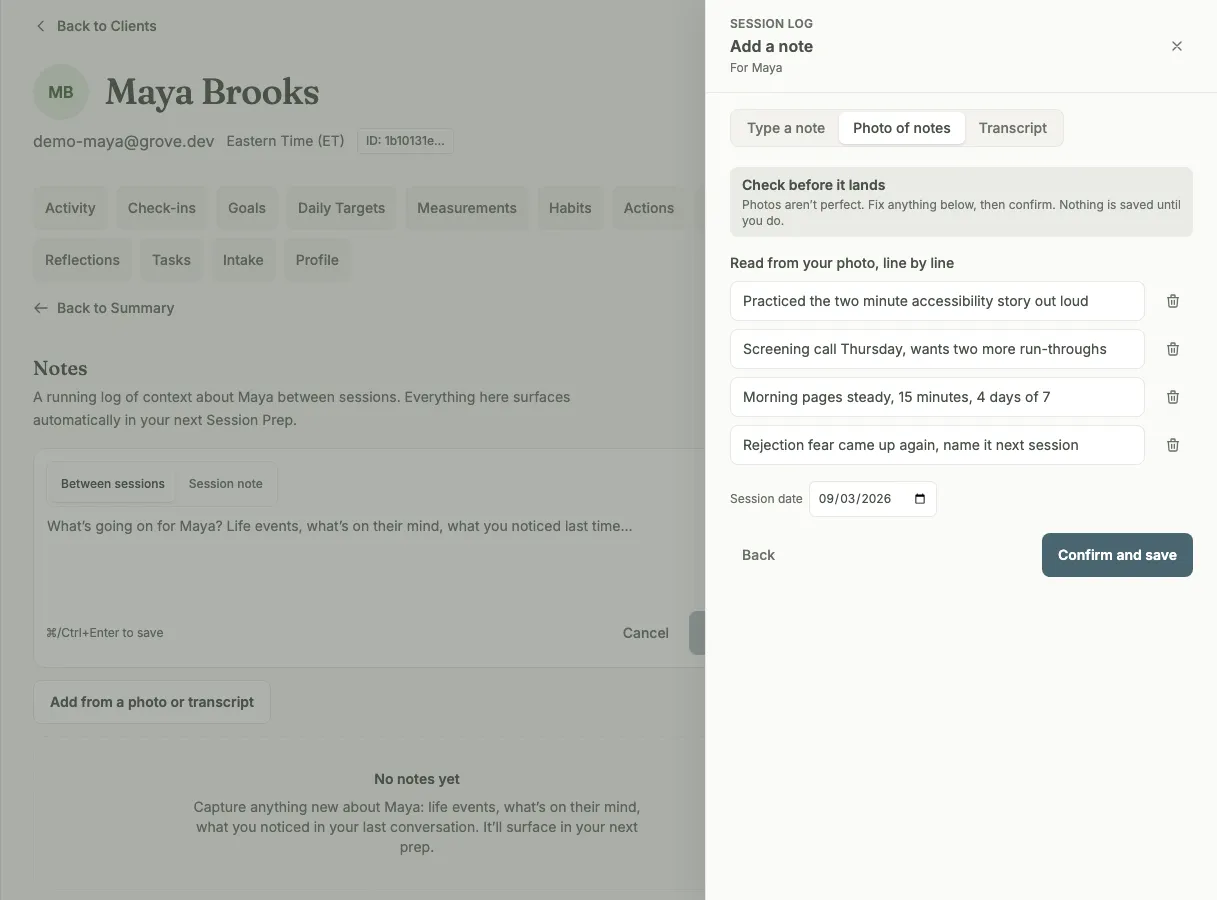
Type or paste a quick note between sessions, photograph a handwritten page from your notebook, or paste in a transcript from whatever recorder you already use. A photographed page opens as individual transcribed lines you confirm one by one; a transcript opens as a Sage-drafted note with your client’s commitments listed first. Nothing is saved until you approve it.

Once a note is saved, with your consent flags on, Sage reads it to build the next session’s prep — the same auto-prepped view every client gets. Sage does the reading; you do the coaching.

The Add a note drawer on the Photo of notes tab: lines transcribed from a photographed page, each in an editable field with a remove button, above a session date and a Confirm and save button.

No clients in Grove yet? Sage still works.

Add anyone you already coach as a track-only client with just a name — no email, no invite — and Sage starts prepping sessions from your own notes and transcripts from day one. Convert a client to a full Grove account whenever they are ready, and every note comes with them.

See how track-only clients work →
Questions, answered

AI in coaching, answered

Does Sage coach my clients?

No. Sage reads, drafts, and remembers so you do not have to hold it all in your head, but every talking point and every drafted note is a starting point, never a script. You decide what to keep, edit, or send, and there is always a person in the loop: the coach. See everything Sage does.

Can a client decline Sage, and what happens then?

Yes. A client turns Sage on for themselves, separately from any setting you choose for your practice, and either of you can turn it off again at any time. A client who has not opted in simply does not appear to Sage — no error, nothing surfaced — and you keep coaching them from your own notes exactly as you would otherwise. How Grove explains this to clients.

What does Sage read?

Only what you bring it and what a client has chosen to share: the check-ins a consenting client submits, plus the notes and transcripts you add about them. Nothing more. Your clients’ names, email addresses, and phone numbers are swapped for neutral placeholders before any of it reaches the AI, and restored only in your own view of the result. Read the full trust posture.

Will AI replace coaches?

No, and the boards and training schools agree: the reading and drafting are exactly what AI is good at, which is what frees the hours for the part only a coach can do — the judgment, the presence, the relationship. We put the whole argument, and what we found Sage still cannot do, in Will AI Replace Health Coaches? I Built Mine to Find Out.

Does Sage work if I have no clients in Grove yet?

Yes. Add anyone you already coach as a track-only client with just a name — no email address, no invite — and Sage starts prepping sessions from your own notes and transcripts from day one. When a client is ready to join Grove for real, convert them with one click and the whole history, including Sage’s prep, comes along. See how track-only clients work.

Curious how we think about the work between sessions? Read the Journal →

Coach with the remembering already done.

Start free on yourself. No clients to set up and no credit card, so you experience what your clients will before you invite anyone in.

Try Grove →Book a conversation
Free guide + the newsletter